[ Vulnerability Management ]
AWS vulnerability scanning: top 7 tools, challenges, and best practices

Summarize with AI


Summarize with AI
AWS vulnerability scanning is the process of identifying security weaknesses in cloud workloads, applications, and resources hosted on Amazon Web Services (AWS). It helps organizations detect known software vulnerabilities, missing security patches, insecure configurations, and other weaknesses that attackers could exploit.
AWS vulnerability scanning covers different types of cloud resources, including Amazon EC2 instances, container images stored in Amazon ECR, and AWS Lambda functions. Depending on the scanning tool, it can analyze installed software packages, operating systems, application dependencies, and network exposure to identify potential security risks.
Third-party vulnerability management tools for AWS environments:
AWS native vulnerability scanning tools:
Vulnerability scanning helps organizations identify known software flaws across AWS workloads and prioritize remediation. Combined with configuration assessments and environmental context, it provides a clearer view of security risks and helps teams focus on vulnerabilities that attackers could exploit.
Third-party tools for AWS fall into two groups:

Best for: Teams looking for a unified vulnerability process for code and cloud vulnerabilities
Strengths: Accurate exploitability verdicts with the evidence behind them, and fixes delivered where developers work
Things to consider: Relies on your existing scanners for cloud findings and is available as SaaS only
Maze is an AI-native vulnerability management platform, built from the ground up so its AI can gather the context it needs, reason through each vulnerability, and make decisions the way your best security engineer would. For AWS, Maze Cloud investigates the vulnerabilities your existing scanners find in the workloads running in your cloud, whether they come from Amazon Inspector, Wiz, or Orca, and works out which ones can be exploited in your specific environment before helping your team fix them.
While working with security teams, Maze’s founders kept seeing the same problem, which was that scanners could list every CVE on an EC2 instance or container image, but no tool could gather the context to say which of those CVEs actually mattered. They built Maze so that every vulnerability gets the investigation those teams never had time to run. Instead of applying static rules, Maze’s AI works out what context each finding needs and gathers it from your code, your build, and your cloud before deciding whether it can be exploited and how severe it is.
Deployment requires a read-only role in your AWS environment and an API connection to one or more scanners, with nothing to install on your workloads.
Key features include:

Best for: Organizations that want vulnerability management without agents as part of a broader CNAPP
Strengths: Scanning without agents, with Security Graph context and Threat Center
Things to consider: Pricing depends on workload count, and some reviewers find fixes hard to track in autoscaling setups
Wiz Unified Vulnerability Management assesses, centralizes, prioritizes, and remediates vulnerabilities across cloud, code, and on-premises environments. Cloud scanning works without installing agents by default, and coverage can extend to on-premises systems through third-party scanner aggregation and the Wiz Sensor Workload scanner.
Findings from Wiz scanners and connected third-party tools are correlated on the Wiz Security Graph, which adds context such as network exposure, identity access, and data sensitivity. Wiz ASM checks external exposure, and the platform provides remediation guidance and patch recommendations across the application lifecycle. Wiz also runs agents across the platform, including the Green Agent, which traces high-risk issues to their root cause and generates fixes, the Red Agent, which tests applications the way an attacker would, and the Blue Agent, which investigates threats.
Key features include:
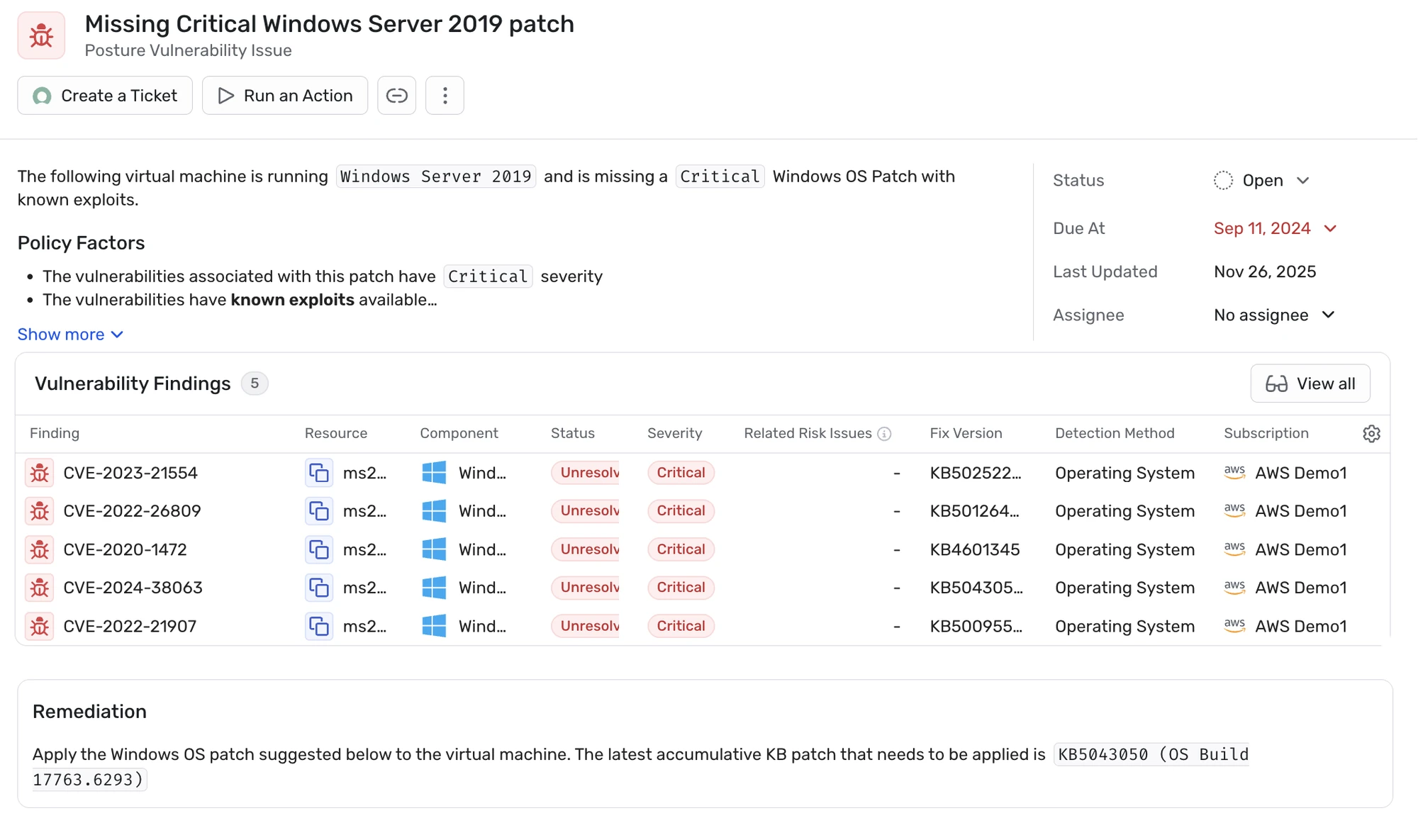

Best for: Teams that want vulnerability management without agents, tied to cloud posture and attack paths
Strengths: SideScanning, attack path analysis, and reachability analysis
Things to consider: Reviewers report high alert volume at first and would like more reporting for business users
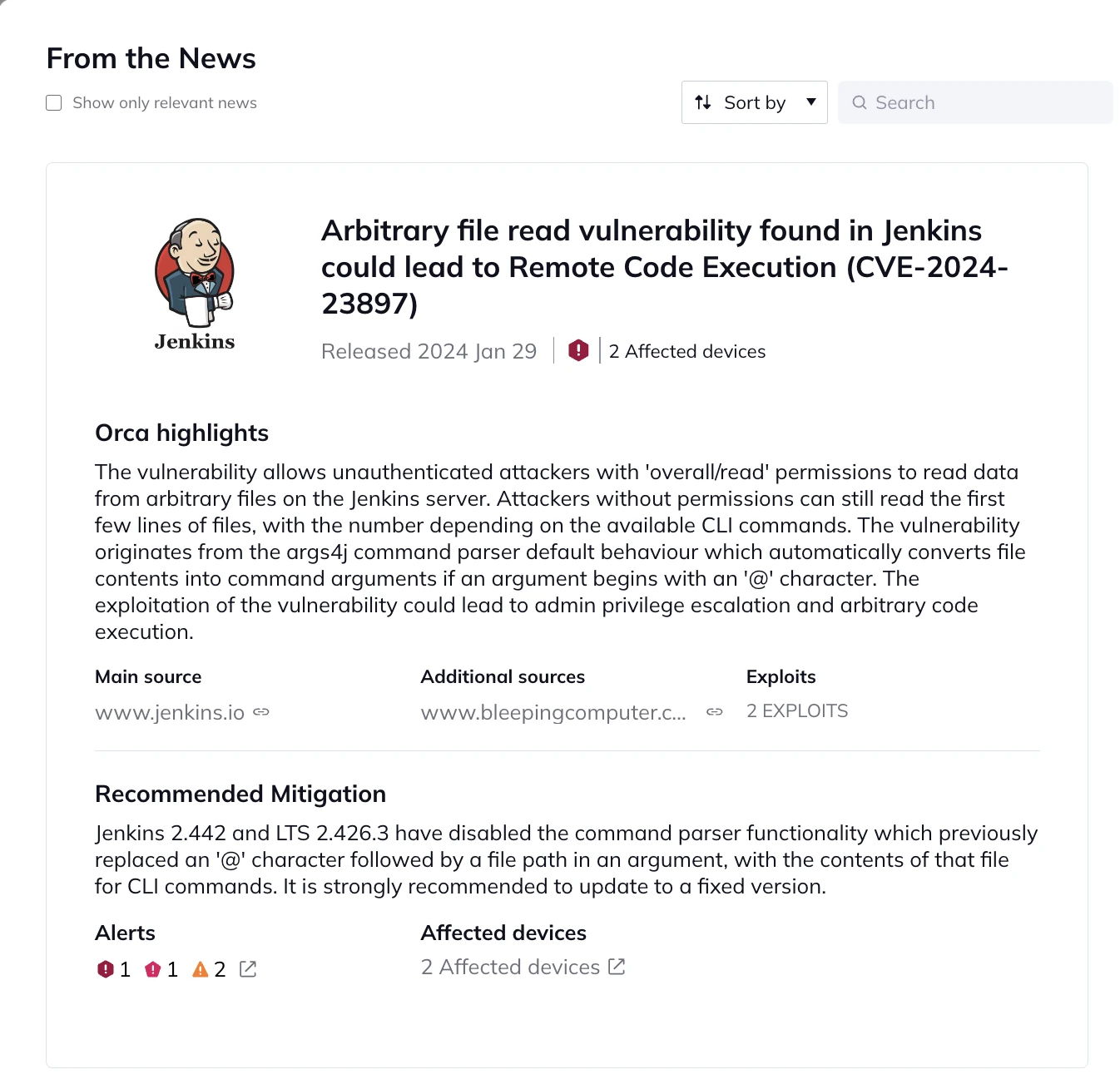
Orca Security provides cloud vulnerability management as part of the Orca Cloud Security Platform. It uses its patented SideScanning technology to collect data out-of-band from cloud configurations and workload runtime block storage, without installing agents. The workload inventory includes OS packages, applications, libraries, and versions, and Orca draws on more than 20 vulnerability data sources.
Vulnerabilities are combined with misconfigurations, malware, IAM risks, lateral movement risks, and sensitive data in a Unified Data Model. This model is used to score risks and identify combinations of issues that form attack paths, and the optional Orca Sensor adds runtime observability.
Key features include:

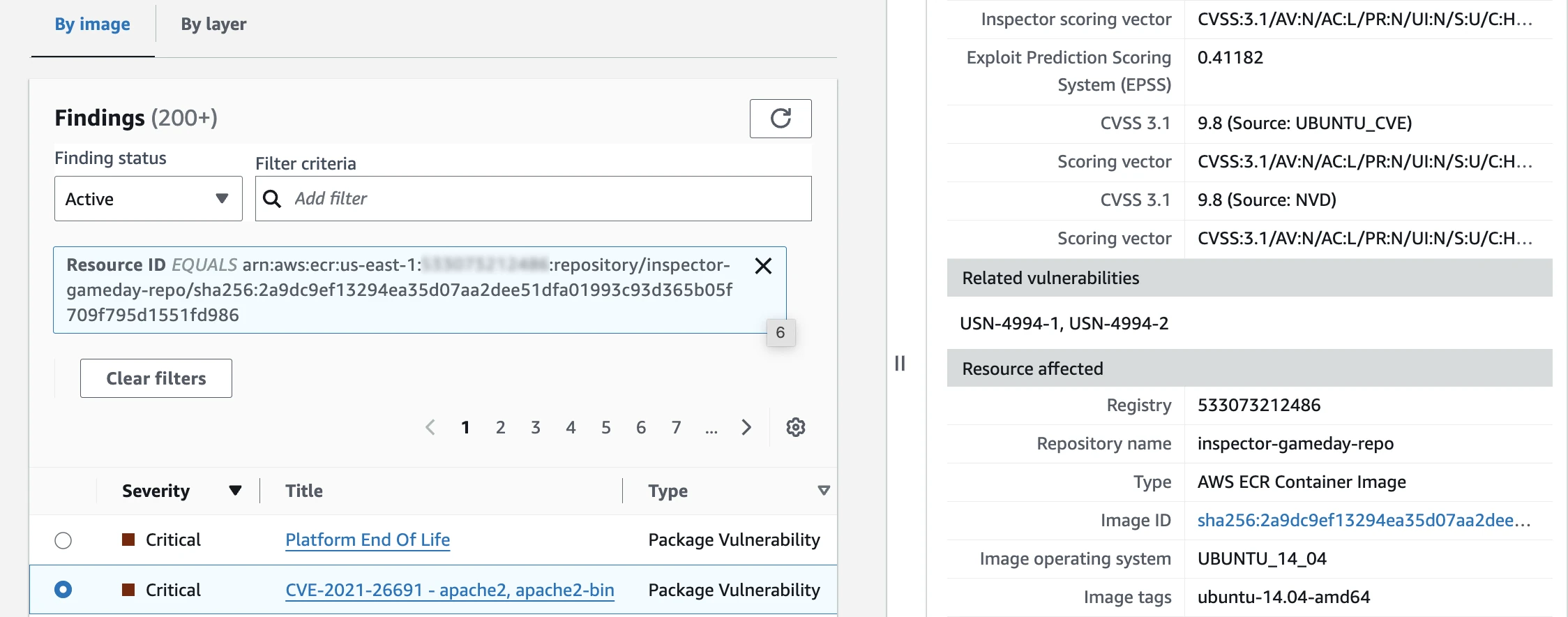
Amazon Inspector is an automated vulnerability management service that continuously scans supported AWS workloads for known software vulnerabilities and unintended network exposure. It helps security teams identify vulnerable packages in Amazon EC2 instances, Amazon ECR container images, and AWS Lambda functions, and it can also scan code repositories. Amazon Inspector also provides risk-based findings to help organizations prioritize remediation based on vulnerability characteristics and environmental context.
Key features include:

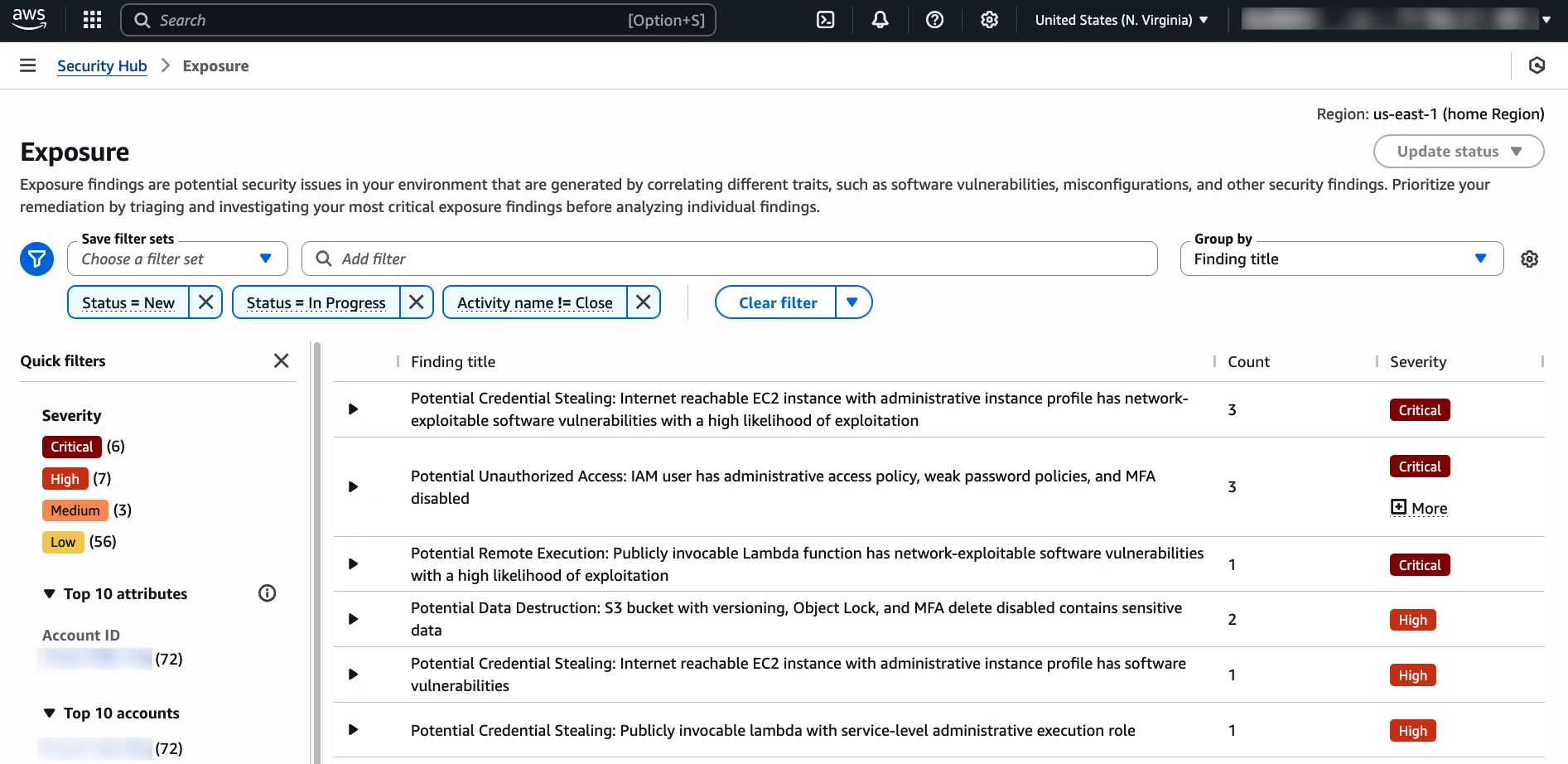
AWS Security Hub is a cloud security management service that centralizes security findings from multiple AWS services and supported third-party tools. It helps organizations monitor security risks, assess compliance with security standards, and coordinate remediation across AWS accounts and regions. Although AWS Security Hub is not a vulnerability scanner itself, it consolidates vulnerability findings from services such as Amazon Inspector alongside other security alerts.
Key features include:

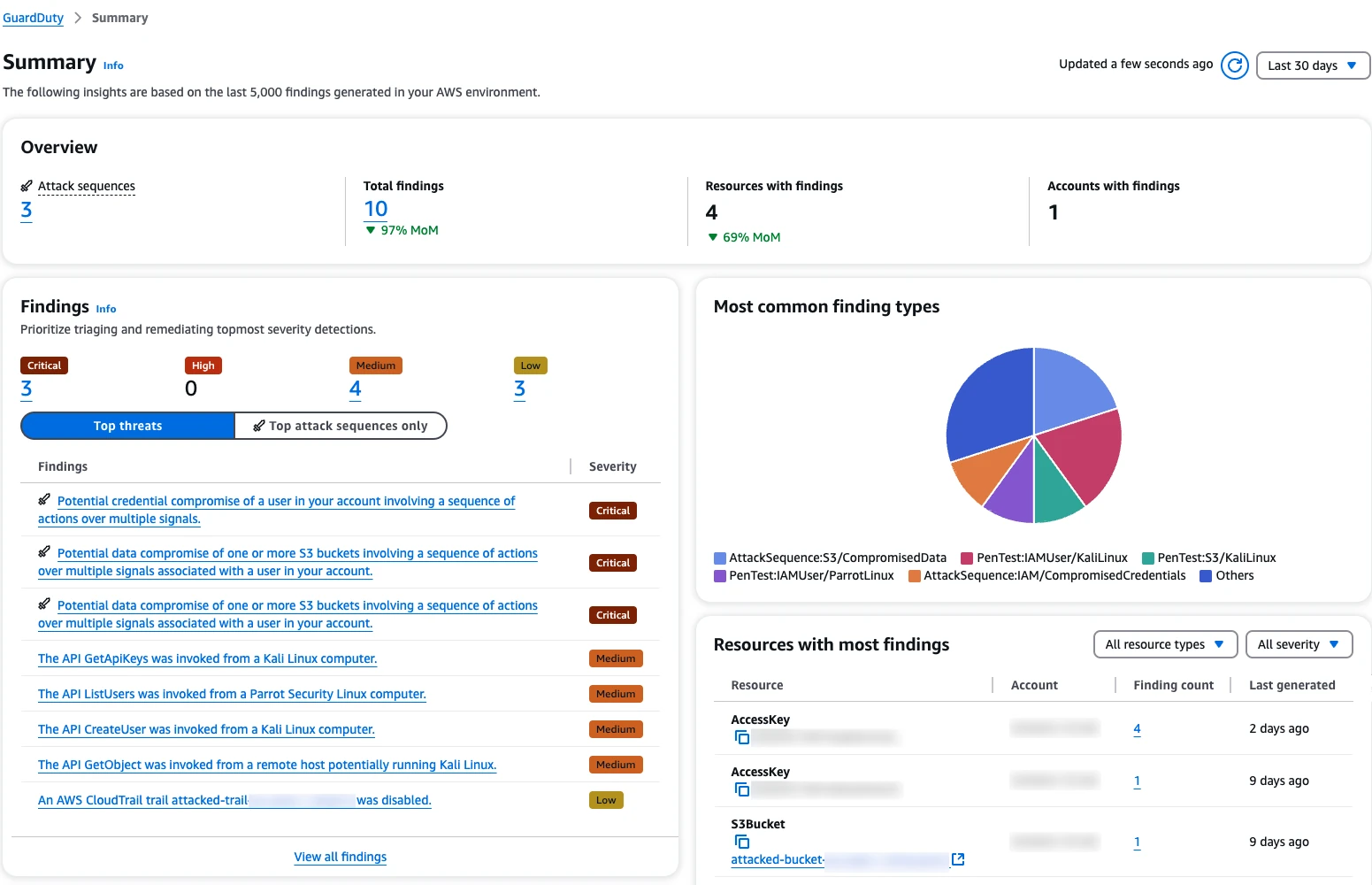
Amazon GuardDuty is a threat detection service that continuously analyzes AWS activity to identify suspicious behavior and potential security threats. It uses threat intelligence, anomaly detection, and machine learning to detect activities such as compromised credentials, malicious network communication, and unauthorized resource access. Unlike traditional vulnerability scanners, GuardDuty focuses on detecting threats and signs of compromise rather than identifying vulnerable software versions.
Key features include:

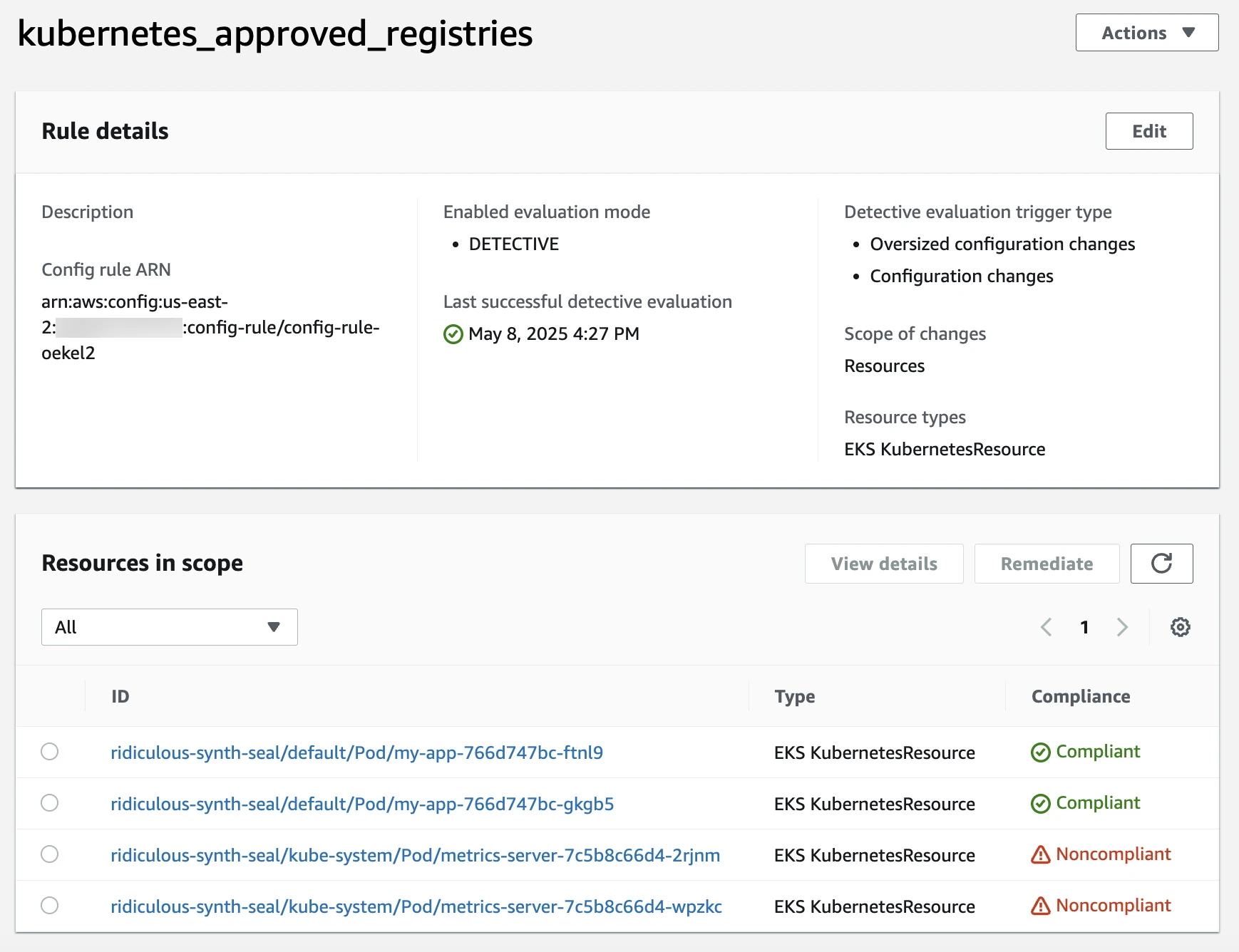
AWS Config is a configuration monitoring and compliance assessment service that records supported AWS resource configurations and tracks changes over time. It helps organizations identify resources that violate security policies or configuration requirements, such as overly permissive security groups or unencrypted storage. AWS Config does not perform software vulnerability scanning, but it complements vulnerability scanners by identifying infrastructure misconfigurations that could increase security exposure.
Key features include:
Organizations often distribute AWS workloads across multiple accounts and regions to separate environments, teams, and business units. This structure makes it difficult to maintain a complete inventory of resources and ensure consistent vulnerability scanning coverage.
New EC2 instances, container images, and Lambda functions may be deployed without the required scanning configuration. Short-lived workloads can also disappear before scheduled scans run, and scanning tools may not support every resource type or software component.
Security teams can improve coverage by using AWS Organizations to manage accounts centrally, enabling supported scanning services across relevant regions, and continuously monitoring resource inventories. They should also identify unsupported resources that require additional scanning methods.
AWS vulnerability scanners can generate thousands of findings across operating systems, application dependencies, and container images. The same vulnerability may appear in multiple workloads, creating duplicate or repetitive alerts, and many findings are scanner false positives that match a package version but can’t be exploited in that workload.
When security teams receive large numbers of findings without clear prioritization, identifying the most urgent issues becomes difficult. This can lead to alert fatigue, delayed remediation, and critical vulnerabilities remaining unresolved.
Organizations can reduce alert fatigue by grouping related findings, removing duplicates from reporting, and prioritizing vulnerabilities based on severity, exploit availability, network exposure, and business impact. Integrating findings into centralized security workflows also helps teams track remediation progress.
Vulnerability scanners often identify security issues by matching installed software versions against known CVEs. This gives teams broad, fast coverage of known vulnerabilities, but it can also generate false positives or flag vulnerabilities that cannot be exploited under the workload’s actual operating conditions. A package may match an affected version even when a required feature is disabled, the vulnerable functionality is unused, or other technical prerequisites are absent.
For example, a scanner might identify a vulnerability in a Linux kernel package even though the kernel feature required to exploit the flaw is disabled in the AWS workload. Similarly, a vulnerable application library may be present in a container image without the affected functionality being used. These findings can increase vulnerability counts despite presenting no viable exploitation path under the current configuration.
Large volumes of findings that are not exploitable create unnecessary work for security and development teams. Developers may spend time upgrading packages or rebuilding workloads that do not require immediate changes, while vulnerabilities that are exploitable receive less attention. Validating findings against the actual environment helps teams reduce this noise and concentrate on issues that require remediation.
Determining whether a detected vulnerability is exploitable requires more information than a CVE identifier, package version, or severity score. Exploitation often depends on specific technical conditions, such as whether a kernel feature is enabled, a vulnerable module is loaded, a configuration flag is set, or an attacker can reach the affected functionality.
For example, a scanner may identify a vulnerable kernel version on an EC2 instance. However, exploiting that vulnerability might require a particular kernel module to be loaded or a feature to be enabled. If those prerequisites are absent, the vulnerability may not be exploitable in that environment. A version-based scanner may not have sufficient information to make that distinction.
Verifying these conditions can require security teams to examine cloud configurations, operating system settings, application dependencies, and runtime behavior. The relevant evidence often exists outside the vulnerability scanner’s view, making manual verification time-consuming. Automated investigation that correlates scanner findings with environment-specific evidence can help teams establish which vulnerabilities are exploitable and which are not.
AI improves AWS vulnerability management by extending traditional vulnerability scanning with automated investigation, environment-specific exploitability assessment, and remediation. Rather than relying only on CVSS scores, known exploits, or predefined prioritization rules, AI can investigate individual findings using evidence from AWS workloads, configurations, runtime conditions, and application code.
This approach helps security teams distinguish vulnerabilities that are technically exploitable from those that cannot be exploited in their current environment. AI can also reduce manual triage, assess the business impact of confirmed vulnerabilities, and help developers implement fixes.
AI can investigate vulnerability findings from existing AWS security scanners, including Amazon Inspector and third-party tools. Instead of treating every CVE as an isolated finding, it correlates vulnerability information with details about the affected EC2 instances, containers, application dependencies, and cloud configurations.
For each vulnerability, AI can research the technical prerequisites required for exploitation and check whether those conditions exist in the affected AWS workload. This includes examining enabled kernel features, loaded modules, software configurations, network exposure, and compensating security controls.
For example, a Linux kernel vulnerability may have a critical severity score but require hardware functionality that the underlying AWS infrastructure does not support. AI can identify this incompatibility and provide evidence explaining why the vulnerability is not exploitable, reducing the need for manual investigation.
Traditional vulnerability prioritization often relies on CVSS scores, exploit prediction metrics, and known exploitation activity. While these signals are useful, they do not establish whether an attacker can exploit a particular vulnerability in an organization’s AWS environment.
AI can evaluate each vulnerability against its actual exploitation requirements, determining whether the necessary software features, configurations, runtime conditions, and access paths are present. Findings that cannot be exploited under current conditions can be separated from those requiring remediation, with supporting evidence documenting the decision.
This approach reduces unnecessary remediation work and helps security teams focus on vulnerabilities that present real technical risks. Because AWS environments change, exploitability assessments should also be revisited when workloads, configurations, or security controls change.
After determining which vulnerabilities are exploitable, AI can evaluate their relative risk using environment-specific information. This goes beyond technical severity to consider how likely exploitation is and what an attacker could accomplish.
AI can analyze network exposure, available attack paths, exploit maturity, and compensating controls to assess exploitation likelihood. It can also evaluate potential business impact, including access to sensitive data, permissions to modify critical AWS resources, and the availability requirements of affected services.
For example, an exploitable vulnerability in an EC2 instance with access to sensitive customer information may warrant greater urgency than a similar vulnerability in an isolated development workload. AI-based prioritization helps teams allocate remediation resources according to actual exposure and potential consequences rather than generic severity ratings.
Identifying an exploitable vulnerability is only the first step toward resolving it. Security teams must determine its root cause, identify the responsible developer or team, and recommend an appropriate fix. These activities often involve manual coordination across security, development, and cloud operations teams.
AI can use information gathered during vulnerability investigations to identify root causes, group related findings, and generate remediation recommendations. Depending on the issue, these may include updating vulnerable dependencies, changing insecure configurations, or applying compensating controls when an immediate patch is unavailable.
AI can also route fixes to the appropriate owners through existing development workflows. Integrations with issue tracking systems and coding agents allow developers to receive actionable remediation guidance alongside the evidence explaining why a vulnerability matters. This helps reduce the time between vulnerability detection and remediation without requiring security teams to manually coordinate every finding.
AWS environments often contain resources distributed across multiple accounts, regions, and services. Without centralized visibility, security teams may overlook workloads that are not covered by vulnerability scanning.
Use AWS Organizations and Amazon Inspector’s delegated administrator capabilities to manage supported scanning activities across multiple accounts. Enable scanning in relevant AWS regions and monitor coverage for EC2 instances, ECR container images, and Lambda functions.
Maintain an up-to-date inventory of cloud resources using services such as AWS Config. Compare this inventory against scanning coverage to identify unsupported resources, disabled scanning configurations, and workloads that require alternative assessment methods.
Review coverage regularly, especially when teams create new AWS accounts, deploy workloads in additional regions, or introduce new services.
Vulnerability scanning is more effective when findings are integrated with the organization’s existing security monitoring, incident management, and remediation workflows.
Amazon Inspector findings can be sent to AWS Security Hub for centralized security visibility. Amazon EventBridge can route findings to automation workflows, notification systems, or external security platforms.
Organizations can also integrate vulnerability data with security information and event management (SIEM) systems, ticketing platforms, and cloud security posture management (CSPM) tools.
These integrations help security teams correlate vulnerabilities with other security signals, assign remediation tasks, and track findings without switching between multiple tools.
Organizations using multiple vulnerability scanners often receive overlapping findings for the same CVE. For example, Amazon Inspector and a third-party scanner may both report a vulnerability in the same EC2 instance or container image. The same issue may also appear repeatedly across multiple replicas of a container or workloads built from a shared base image.
Centralize vulnerability findings and normalize information such as CVE identifiers, affected package versions, resource identifiers, and image digests. Use this information to identify duplicate findings across scanners and group vulnerabilities that share the same underlying cause or remediation action.
Deduplication should preserve the relationships between findings and all affected workloads. This helps organizations maintain an accurate count of distinct vulnerability issues without losing visibility into their deployment scope. Security teams can then track remediation at the appropriate level, such as a shared container image or AMI, rather than treating every repeated finding as a separate issue.
A vulnerability scanner can identify a potentially affected package without confirming that the vulnerability’s exploitation conditions exist in the deployed workload. Security teams should therefore validate scanner findings against the configuration and technical prerequisites required to exploit each vulnerability.
For example, a vulnerability may require a specific kernel feature, an enabled application module, a particular configuration setting, or access to an exposed service. Investigate whether these conditions are present in the affected AWS environment. Correlate scanner findings with cloud configuration, software dependencies, and relevant runtime evidence to establish whether exploitation is possible.
Automated vulnerability investigation can reduce the effort required to perform these checks across large numbers of findings. However, validation results should include supporting evidence, and inconclusive findings should not automatically be classified as safe. Reevaluate exploitability when relevant configurations, workloads, or security controls change.
Organizations should prioritize vulnerability remediation based on actual exploitability rather than relying solely on CVSS scores, exploit availability, or whether a workload is publicly accessible. A critical vulnerability may not be exploitable if its technical prerequisites are absent, while a lower-severity vulnerability may require urgent attention when exploitation conditions are satisfied. Once a vulnerability is confirmed as exploitable, rank it by how likely it is to be exploited and what an attacker could reach if it were.
Apply a consistent prioritization process:
Threat intelligence sources such as CISA KEV and EPSS help with the likelihood step because they show which vulnerabilities attackers are using, but they don’t show whether a vulnerability can be exploited in a specific AWS environment. This evidence-based approach helps security teams prioritize vulnerabilities that pose meaningful risks and provide developers with clear explanations of why specific remediation actions are necessary.
Vulnerability management should be part of the software development lifecycle rather than a separate activity performed after deployment.
Integrate dependency scanning, container image scanning, and infrastructure-as-code security checks into continuous integration and continuous delivery (CI/CD) pipelines. This helps developers identify vulnerable components and insecure configurations before they reach production.
For AWS workloads, teams can use Amazon ECR enhanced scanning with Amazon Inspector to identify vulnerabilities in supported container images. Additional tools can scan application dependencies and infrastructure templates during development.
Configure pipeline policies to flag or block deployments containing vulnerabilities that exceed defined risk thresholds. Provide developers with actionable findings, including affected packages, recommended versions, and links to relevant source code or build configurations.
Remediating an individual vulnerability finding does not always address the underlying source of the problem. In AWS environments, vulnerable packages can be inherited from shared AMIs, container base images, or application dependencies. Updating a single EC2 instance or running container may leave the same vulnerability present in other workloads or future deployments.
Identify the source of affected components and apply fixes at the appropriate level. For example, update a shared AMI or container base image, rebuild dependent workloads, and redeploy affected instances or containers. When a security patch is unavailable, implement appropriate mitigations, such as disabling vulnerable functionality, changing configurations, or restricting access to affected services.
After remediation, rescan affected resources to verify that the vulnerability has been resolved. Where applicable, confirm that the original exploitation conditions are no longer present and that updated workloads are running in production. Continue monitoring vulnerability findings, remediation status, and recurring issues to detect vulnerabilities reintroduced through outdated dependencies, images, or deployment configurations.
Maze is an AI-native vulnerability management platform that investigates every vulnerability across code and cloud to determine whether it can be exploited in your specific environment, then helps your team fix the ones that can.
For AWS, Maze Cloud investigates the vulnerabilities your existing scanners find in the workloads running in your cloud. It pulls in their findings, maps your cloud and containers, and works out what context each vulnerability needs, gathering it from your code, your build, and your cloud the way your best security engineer would.
Maze Code brings the same investigation to your code, so your team runs one vulnerability process across code and cloud. Getting started needs only a read-only role in your cloud environment and an API connection to one or more scanners, with nothing to install on your machines.
Key capabilities of Maze:
Learn more about Maze Cloud and see how AI investigates and fixes vulnerabilities in your AWS environment.
[ Vulnerability Management ]

[ Vulnerability Management ]

[ Vulnerability Management ]