[ Vulnerability Management ]
Vulnerability Management Tools: Key Features and 14 Tools to Watch

Summarize with AI


Summarize with AI

TL;DR: Vulnerability management tools scan assets to find, prioritize, and fix security weaknesses.
Vulnerability management tools are essential cybersecurity software designed to scan network assets, applications, and devices to detect, prioritize, and remediate security weaknesses. Top tools in 2026 include Tenable (Tenable.io/sc), Qualys VMDR, and Rapid7 InsightVM. They offer automated scanning, risk-based prioritization, and compliance reporting to reduce attack surfaces.
Key features to look for:
It is worth separating two things that often get grouped together. Scanners find vulnerabilities and sometimes apply basic prioritization using CVSS scores or the CISA KEV catalog. Management platforms sit on top of that output and handle the rest, deciding what actually matters, assigning ownership, tracking remediation, and proving risk went down. Some tools do both. Many do only the first.
In this article:
The table below summarizes the key differences between the tools covered in this guide. We explore each one in more detail in the sections that follow.
| Category | Solution | Best For | Key Strengths | Things to Consider |
| Modern AI-Native | Maze | Triaging which cloud and code vulnerabilities are truly exploitable | AI agents that investigate findings like a security engineer | Newer platform centered on cloud and application environments |
| Modern AI-Native | Cogent | Automating investigation and remediation across existing tools | Agentic AI lifecycle coverage with human governance | Very new vendor; value depends on connected data quality |
| Modern AI-Native | Zafran | Reducing critical vulns using existing security controls | Compensating-control context and mitigation before patching | Dashboard and reporting customization still maturing |
| Modern AI-Native | Depthfirst | Finding and fixing exploitable code and dependency vulnerabilities | Validates exploitability and ships merge-ready PR fixes | Centered on the code and application layer, not network VM |
| Cloud-Native Scanner | Wiz | Cloud-native vulnerability context from code to runtime | Agentless scanning with Security Graph attack-path context | Premium pricing and alert tuning at scale |
| Cloud-Native Scanner | Orca Security | Agentless cloud vulnerability management with full context | SideScanning with reachability and attack-path analysis | 24-hour scan cadence and reporting customization |
| Cloud-Native Scanner | Amazon Inspector | Automated vulnerability scanning for AWS workloads | Continuous, native scanning of EC2, ECR, and Lambda | AWS-centric scope and false-positive rate |
| Incumbent Platform | Qualys VMDR | Unified scanning, prioritization, and patching in one platform | TruRisk scoring with built-in patch and mitigation actions | Support responsiveness and dated reporting |
| Incumbent Platform | Rapid7 InsightVM | Vulnerability management unified with attack surface context | Same scanner with cloud, app, and attack-surface context | Reporting customization and on-prem/cloud sync |
| Incumbent Platform | Tenable Vulnerability Management | Risk-based scanning across IT, cloud, and OT | Nessus-powered coverage with risk-based prioritization | Cloud tier cost and licensing clarity |
| Incumbent Platform | Microsoft Defender Vulnerability Management | Microsoft-centric and Windows-heavy environments | Continuous assessment with Microsoft threat intelligence | Reporting depth and third-party coverage |
| Open-Source Scanner | OpenVAS | Free, full-featured network vulnerability scanning | Authenticated and unauthenticated tests, daily-updated feed | Complex setup and dated interface |
| Open-Source Scanner | Nuclei | Fast, template-based scanning for known vulnerabilities | Community YAML templates updated within hours of new CVEs | Template quality varies; CLI, not a managed service |
| Open-Source Scanner | Nikto | Fast web server and misconfiguration scanning | Thousands of checks for risky files and server misconfigs | Noisy, not stealthy, and prone to false positives |
Organizations face a constant stream of new vulnerabilities, misconfigurations, and exposed assets across on-premises and cloud environments. Vulnerability management tools help security teams continuously identify and reduce these risks before attackers exploit them.
Comprehensive scanning is a foundational feature for any vulnerability management tool. The tool should scan a wide range of assets, including on-premises infrastructure, cloud environments, endpoints, and network devices. It must support both authenticated and unauthenticated scans to uncover vulnerabilities that require different levels of system access. Frequent automated scans help detect new assets and vulnerabilities and maintain an up-to-date view of risk.
A scanning engine should also detect configuration issues, missing patches, and outdated software versions. It should support custom scan policies and granular scheduling to minimize operational disruption. Integration with asset inventories helps ensure the scanning scope covers the entire environment. This approach reduces blind spots and gives security teams the visibility needed to make decisions.
Risk-based prioritization helps organizations focus on vulnerabilities that pose the greatest threat. Rather than treating all vulnerabilities equally, modern tools assess the context and potential impact of each finding. They consider exploitability, asset criticality, and internet exposure. This helps allocate resources so high-risk issues are addressed before less significant ones.
Effective prioritization often uses threat intelligence feeds, real-world exploit data, and business context to generate risk scores. By highlighting vulnerabilities that are actively exploited or more likely to be used in attacks, security teams can respond faster. This reduces the window of opportunity for attackers and improves risk management.
Integration capabilities help embed vulnerability management into broader security and IT workflows. Tools should integrate with ticketing systems, patch management platforms, SIEMs, and SOAR solutions. This allows vulnerabilities to be converted into remediation tasks, tracked through resolution, and correlated with other security events.
APIs and connectors support custom integrations and automation across tools. Integration reduces manual effort, speeds response times, and makes vulnerability data actionable within existing workflows. It also supports collaboration between security, IT, and development teams.
Reporting and compliance features help organizations communicate vulnerability status and meet regulatory requirements. Effective tools offer customizable dashboards, scheduled reports, and exportable formats for technical teams and executive leadership. Reports should present trends, risk levels, remediation progress, and compliance status.
Compliance modules can map vulnerabilities to regulatory standards and frameworks, simplifying audit preparation. Automated evidence collection and reporting help demonstrate due diligence. These features are important for regulated industries, where accurate reporting is required to avoid fines and reputational damage.
Remediation guidance helps security teams address vulnerabilities with clear steps. Vulnerability management tools include recommendations, references to patches, and links to vendor advisories. This reduces time spent researching fixes and supports alignment with best practices.
Some tools offer workflow management to assign, track, and verify remediation tasks. Automated notifications and escalation help ensure critical vulnerabilities are not overlooked. These features improve efficiency and reduce the likelihood that vulnerabilities remain unaddressed.
Exploit intelligence and threat context inform security teams about the real-world risk of vulnerabilities. Tools that incorporate threat feeds and exploit databases can indicate whether a vulnerability is actively targeted. This context helps prioritize remediation based on current threat activity.
By correlating vulnerabilities with exploit kits, malware campaigns, and attack trends, these tools help organizations respond to emerging threats. This supports alignment between vulnerability management and threat intelligence programs and improves resilience to cyberattacks.
A vulnerability is only exploitable once the prerequisites for exploitation are met in your environment. The strongest tools check whether those conditions are actually present on the affected asset, such as whether the vulnerable feature is enabled and whether an attacker can reach the affected code, then close what cannot be exploited. This is a different question from exploit intelligence, which tells you what attackers are doing elsewhere.
How we selected these tools: We shortlisted vulnerability management tools based on scanning coverage, risk-based prioritization, remediation and integration capabilities, and reporting and compliance support.
A newer generation of tools built to use AI agents to figure out what is actually exploitable, prioritize it, and guide remediation. Rather than scoring findings against fixed rules, these platforms investigate each one against the environment it sits in.

Best for: Triaging which cloud and code vulnerabilities are truly exploitable
Strengths: AI agents that investigate findings the way a security engineer would
Things to consider: Newer platform centered on cloud and application environments
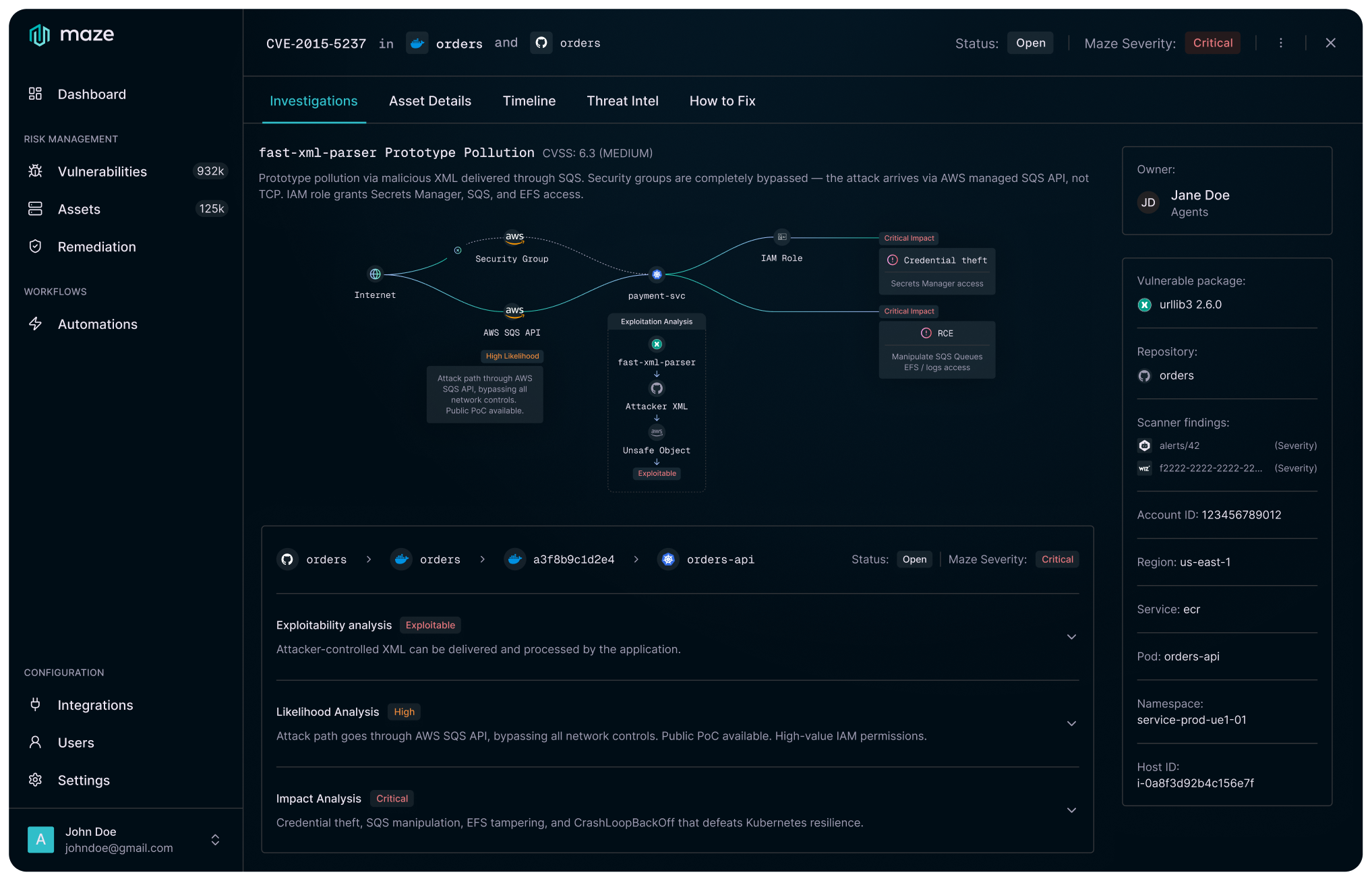
Maze is an AI-native vulnerability management platform that uses AI agents to investigate findings across cloud and code. It covers cloud vulnerabilities such as CVEs in containers and virtual machines, third-party dependencies through AI-SCA, and first-party code through AI-SAST. The agents are built to catch zero-days before scanners detect them.
Rather than applying static rules or severity scores, Maze’s agents reason over evidence assembled from a customer’s code, cloud, runtime, and security controls. It connects through a read-only role to a cloud account or repository plus an integration with an existing scanner, with no sensors, eBPF, or software to install, and runs on single-tenant or multi-tenant infrastructure deployable in any region.
Key features include:
Limitations (based on publicly available sources):

Best for: Automating investigation and remediation across your existing tools
Strengths: Agentic AI lifecycle coverage with human governance built in
Things to consider: Very new vendor; value depends on connected data quality
Cogent is an AI-native vulnerability management platform that applies specialized AI agents across the full lifecycle, from discovery through verified remediation. It identifies vulnerable software within minutes of disclosure, often before scanner signatures exist, and builds a unified, deduplicated view from a customer’s existing stack. It does not replace scanners, CNAPP, or CMDB tools; instead it acts as an orchestration layer over them.
The platform scores each finding by real exploitability and business impact in the specific environment rather than by CVSS defaults, then builds a remediation plan with a configurable level of autonomy that executes through existing workflow tools. It is built on three layers: an AI Data Fabric that normalizes data from connected tools, an AI Reasoning Engine of collaborating agents, and an Adaptive Execution layer with approval gates and audit logs.
Key features include:
Limitations (based on publicly available sources):

Best for: Reducing critical vulnerabilities using your existing security controls
Strengths: Compensating-control context and mitigation before patching
Things to consider: Dashboard and reporting customization still maturing
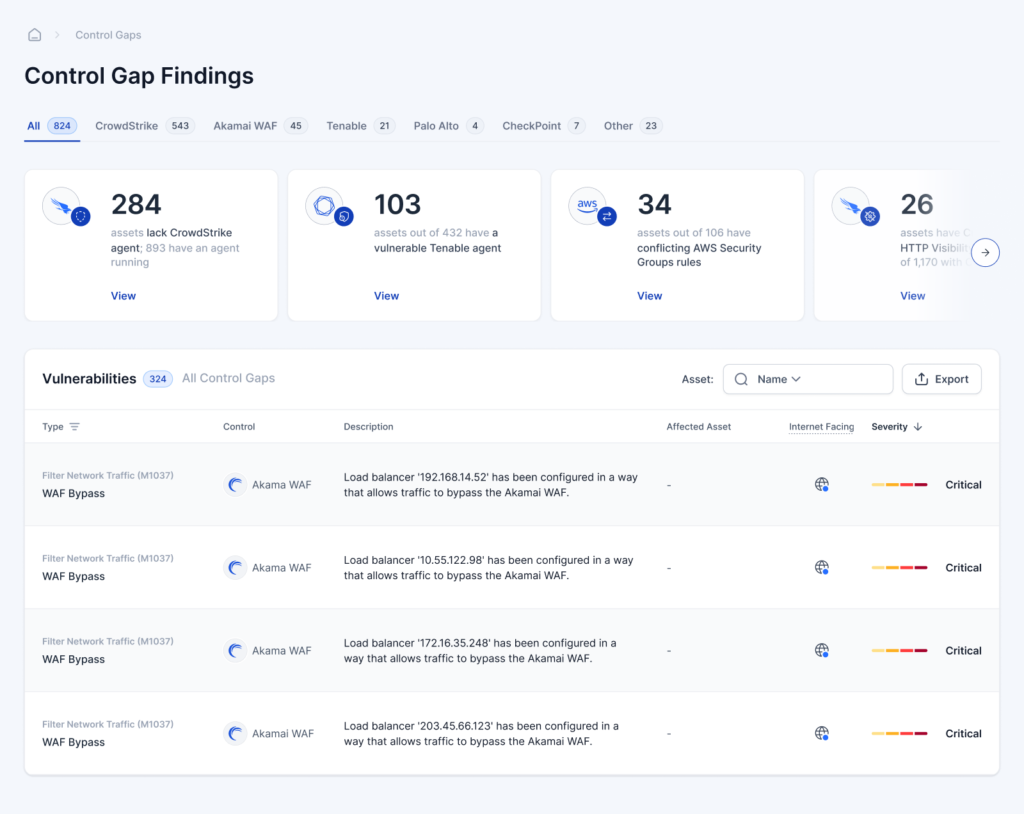
Zafran is an AI-native threat exposure management platform that offers an alternative operating model for vulnerability management. It unifies findings from cloud, on-premises, and application security tools into a single deduplicated view, and can also run its own continuous detection without deploying new agents. It then applies context to show which vulnerabilities are genuinely exploitable.
That context includes runtime presence, internet reachability, exploitation in the wild, asset criticality, and the configuration of existing security controls. Zafran maps exposures to compensating controls and provides step-by-step mitigation so teams can reduce risk before patching begins. Its RemOps capability uses generative AI to consolidate overlapping remediation tasks and route them to the right owners through existing ticketing platforms.
Key features include:
Limitations (as reported by users on PeerSpot):

Best for: Finding and fixing exploitable code and dependency vulnerabilities
Strengths: Validates exploitability and ships merge-ready pull-request fixes
Things to consider: Centered on the code and application layer, not network VM
Depthfirst offers an AI-native platform called General Security Intelligence whose agents reason across code, infrastructure, dependencies, and the runtime environment to find complex exploitable vulnerabilities, including business-logic flaws. It analyzes how a system works, from components and handlers to data flows and entry points, then reasons through each path the way an attacker would.
The platform follows a find, validate, fix, and verify loop. It runs a dynamic test against the running application so that only findings that can actually be triggered reach the queue, then generates a pull request for each confirmed vulnerability written against the customer’s own codebase and conventions. After a fix is merged, it replays the same attack and marks the issue resolved only when exploitation fails.
Key features include:
Limitations (based on publicly available sources):
Cloud security platforms that scan cloud workloads, containers, and code, with vulnerability management as one capability inside a broader suite.

Best for: Cloud-native vulnerability context from code to runtime
Strengths: Agentless scanning with Security Graph attack-path context
Things to consider: Premium pricing and alert tuning at scale
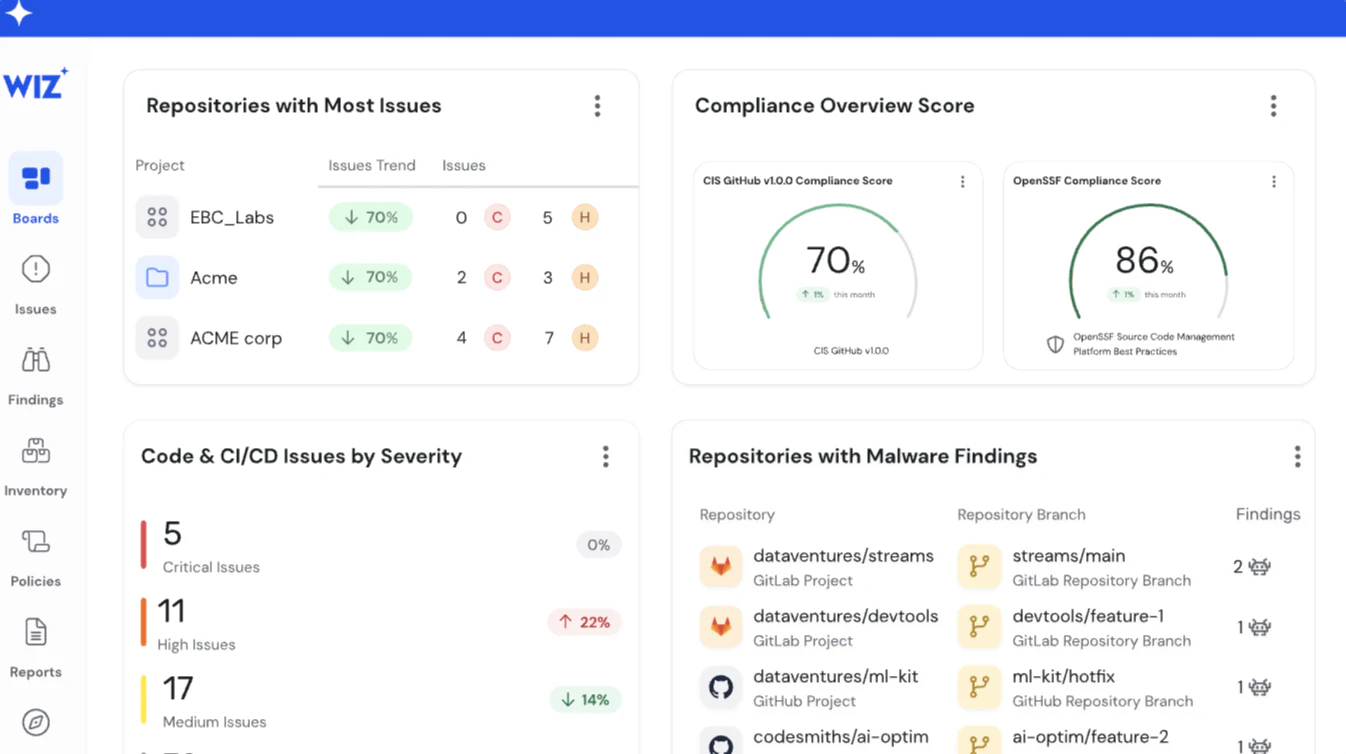
Wiz provides unified vulnerability management that assesses, centralizes, prioritizes, and remediates vulnerabilities across cloud, code, and on-premises environments in one platform. Its agentless-first, cross-cloud scanning draws on a catalog of more than 120,000 vulnerabilities across 40+ operating systems, and it can extend to on-premises assets through Wiz’s third-party aggregation and workload scanner.
Wiz also ingests findings from third-party scanners and tools such as pen tests, DSPM, SAST, and DAST, then correlates and enriches them on the Wiz Security Graph and validates external exposure with Wiz ASM. This graph-based context surfaces the vulnerabilities that lead to critical attack paths, while Wiz Projects and CMDB integration assign owners, and remediation guidance, one-click fixes, and patch recommendations help reduce mean time to remediate.
Key features include:
Limitations (as reported by users on PeerSpot):
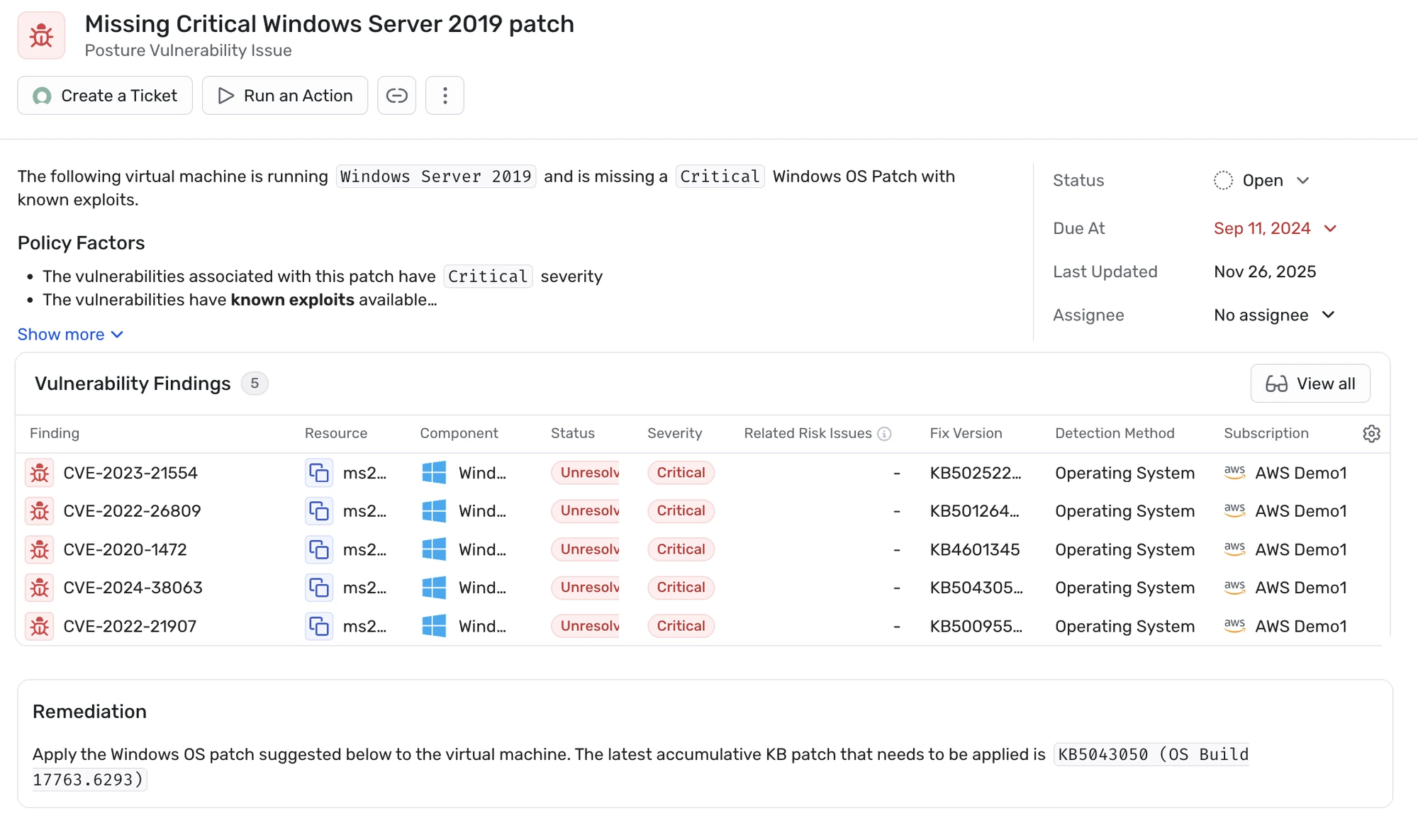

Best for: Agentless cloud vulnerability management with full context
Strengths: SideScanning coverage with reachability and attack-path analysis
Things to consider: 24-hour scan cadence and reporting customization
Orca Security provides agentless cloud vulnerability management that detects and prioritizes vulnerabilities with unified context across the cloud estate. Its patented SideScanning technology collects data from cloud configuration and the workload’s runtime block storage out-of-band, using account permissions only and without installing agents or affecting performance. It covers both cloud workloads and the cloud control plane in one platform.
Orca builds a full inventory of OS packages, applications, libraries, and versions, draws on 20+ vulnerability data sources, and considers the context of cloud assets rather than CVSS alone. Attack Path Analysis identifies dangerous risk combinations and assigns business-impact scores, presented as a visual graph, while reachability analysis narrows large volumes of container vulnerabilities to those that are actually executable at runtime.
Key features include:
Limitations (as reported by users on PeerSpot):
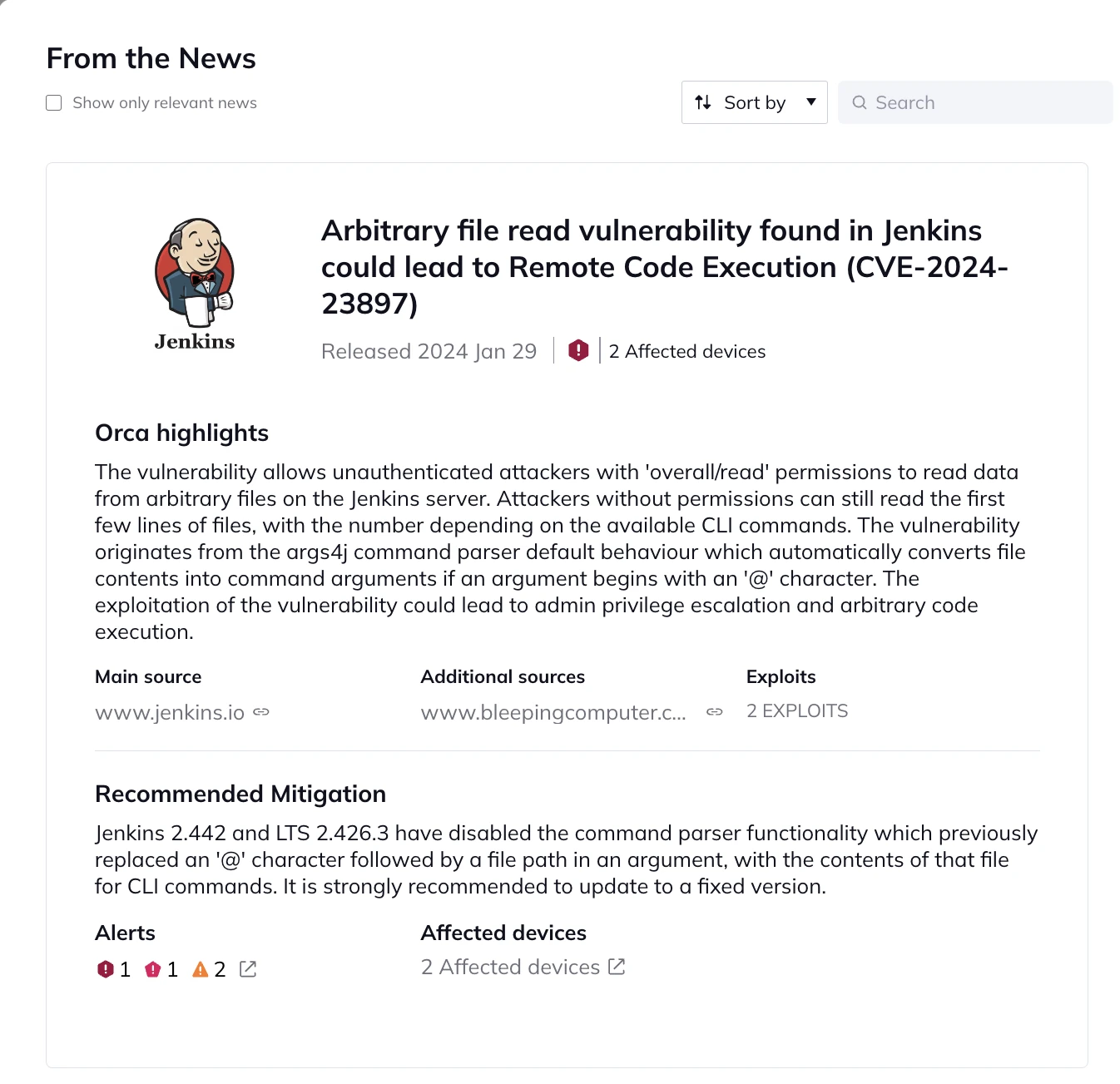

Best for: Automated vulnerability scanning for AWS workloads
Strengths: Continuous, native scanning of EC2, ECR, and Lambda
Things to consider: AWS-centric scope and false-positive rate
Amazon Inspector is an automated, continual vulnerability management service for AWS environments. It automatically discovers workloads such as EC2 instances, container images in Amazon ECR, and Lambda functions, as well as code repositories, and scans them for software vulnerabilities and unintended network exposure in near real time. It also extends to non-AWS resources such as code repositories and CI/CD tools.
Inspector generates a contextual risk score by correlating CVE information with network accessibility, helping teams prioritize remediation and reduce mean time to remediate. It draws on more than 50 sources of vulnerability intelligence, supports both agent-based and agentless scanning for EC2, and lets teams centrally manage software bill of materials exports. It integrates with AWS Security Hub and EventBridge and supports compliance frameworks such as NIST CSF and PCI DSS.
Key features include:
Limitations (as reported by users on PeerSpot):
The established scanners and management platforms, strongest on breadth of asset coverage and compliance reporting.

Best for: Risk-based scanning across IT, cloud, and OT attack surfaces
Strengths: Nessus-powered coverage with risk-based prioritization (VPR)
Things to consider: Cloud-tier cost and licensing clarity
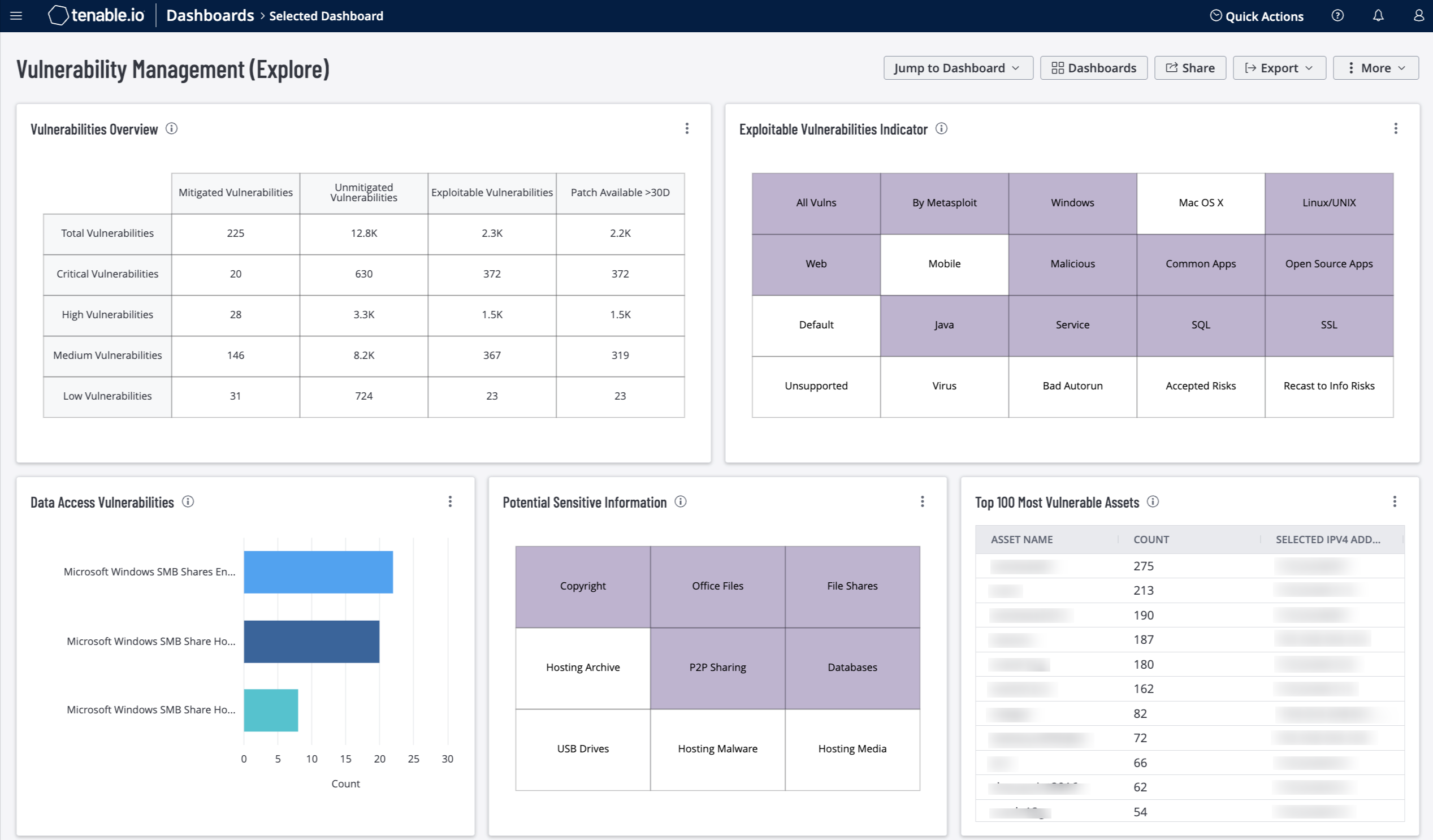
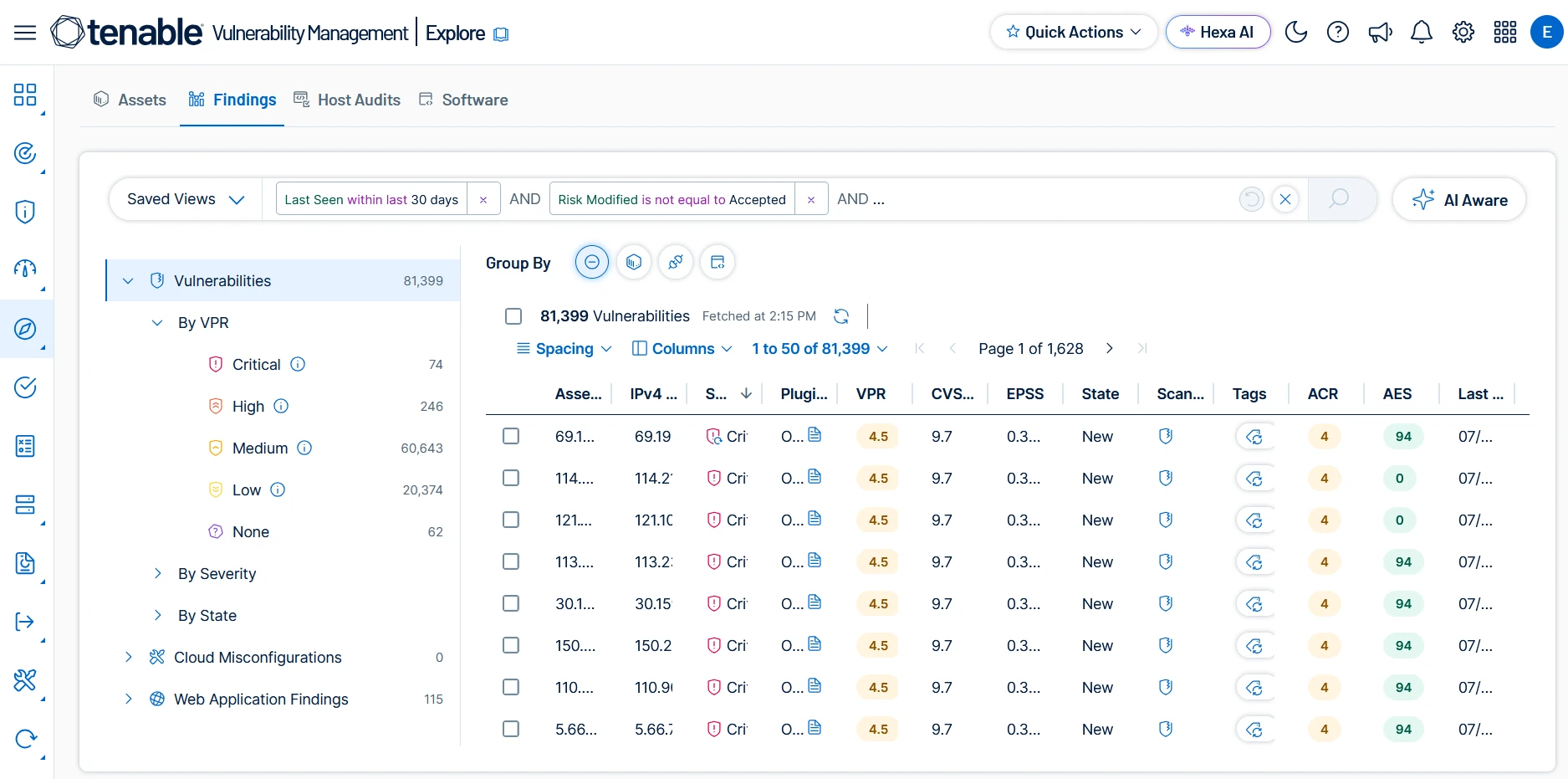
Tenable Vulnerability Management is a risk-based platform for finding, prioritizing, and remediating vulnerabilities across the attack surface. Powered by Nessus technology, it unifies vulnerability data with continuous asset scanning and automated risk prioritization. Continuous, always-on discovery assesses both known and unknown assets, including dynamic cloud and remote-workforce assets.
The platform identifies the most exploitable, business-impacting exposures using risk-based threat intelligence and critical asset identification, expressed through a Vulnerability Priority Rating. It accelerates remediation with guided steps and workflow integrations, and is part of the broader Tenable One exposure management platform, which unifies vulnerability data with other security domains for prioritization and reporting.
Key features include:
Limitations (as reported by users on G2):

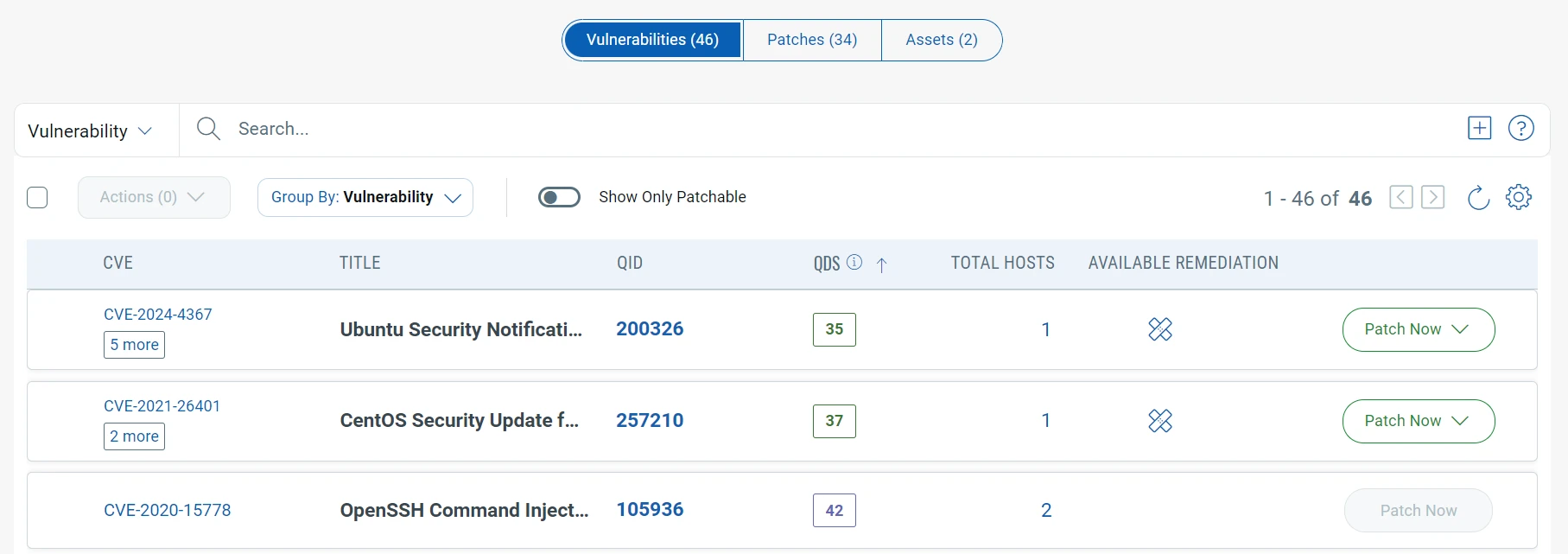
Best for: Unified scanning, prioritization, and patching in one platform
Strengths: TruRisk scoring with built-in patch and mitigation actions
Things to consider: Support responsiveness and dated reporting
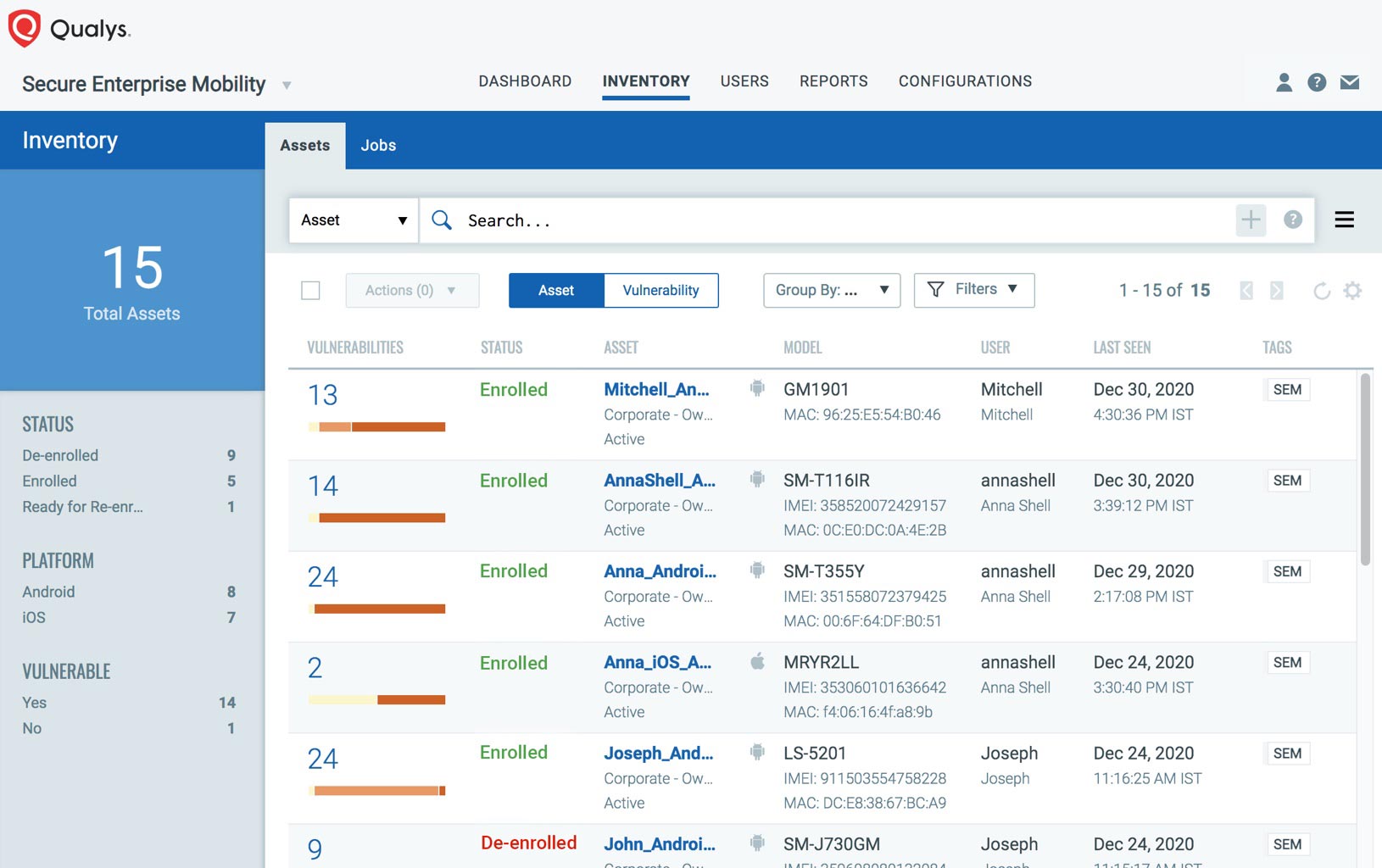
Qualys VMDR is a cloud-based platform that combines vulnerability management, detection, and response in a single workflow across a global hybrid-IT environment. It brings together asset inventory, vulnerability and configuration assessment, threat-based prioritization, and patch detection. It starts with asset discovery and inventory, then runs continuous assessments using cloud agents and a range of sensors.
VMDR prioritizes findings with TruRisk, which combines a Qualys Detection Score, a Qualys Vulnerability Score, and asset criticality into a single risk number, and incorporates real-time threat indicators such as active exploitation, ransomware, and CISA Known Exploited Vulnerabilities. Patch Management is built in, with no-code workflows for automated patching, while TruRisk Eliminate adds configuration-based mitigations and device isolation when patching is not feasible.
Key features include:
Limitations (as reported by users on Gartner Peer Insights):

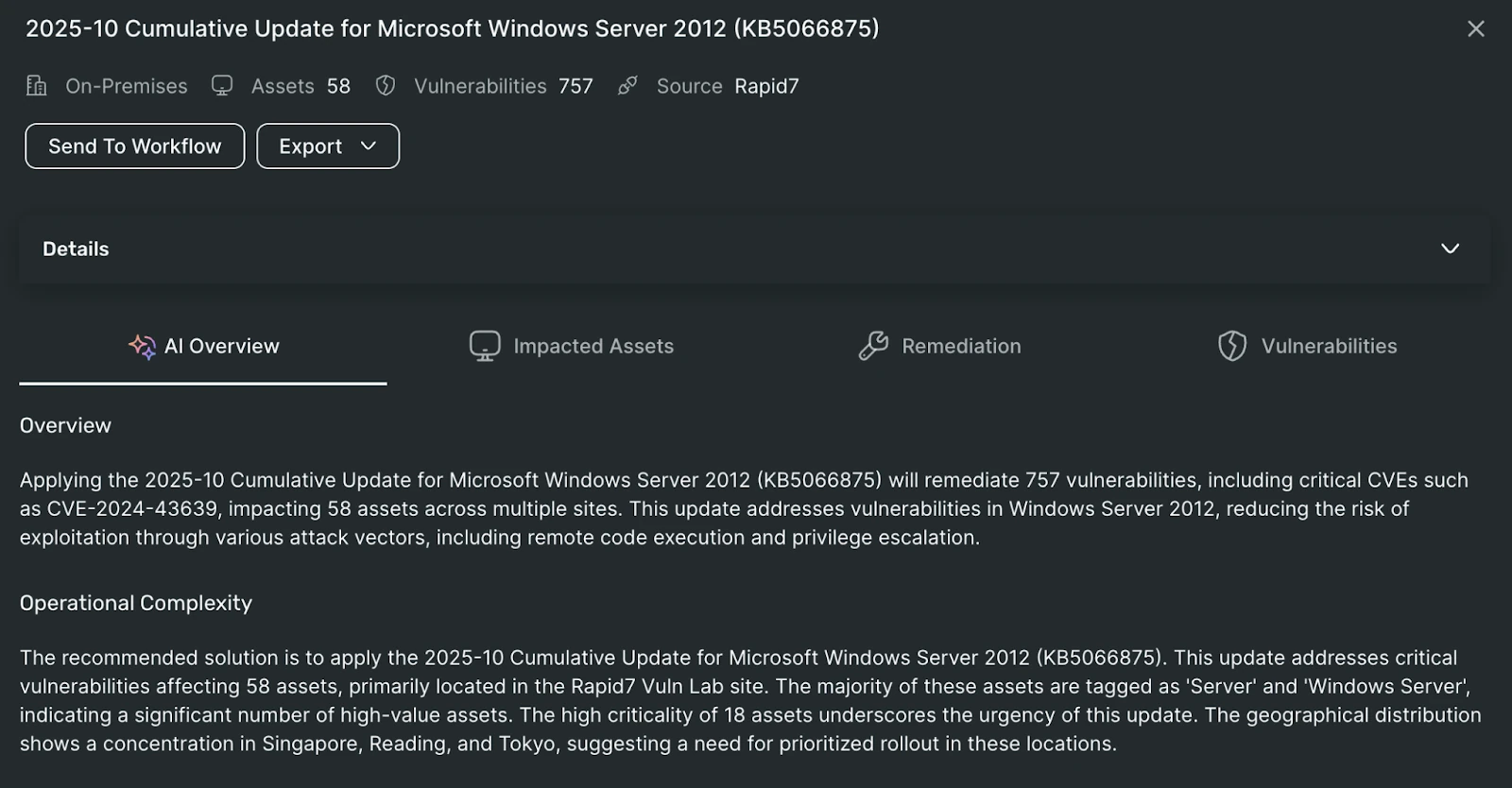
Best for: Vulnerability management unified with attack surface context
Strengths: The same scanner with cloud, app, and attack-surface context
Things to consider: Reporting customization and on-prem/cloud sync
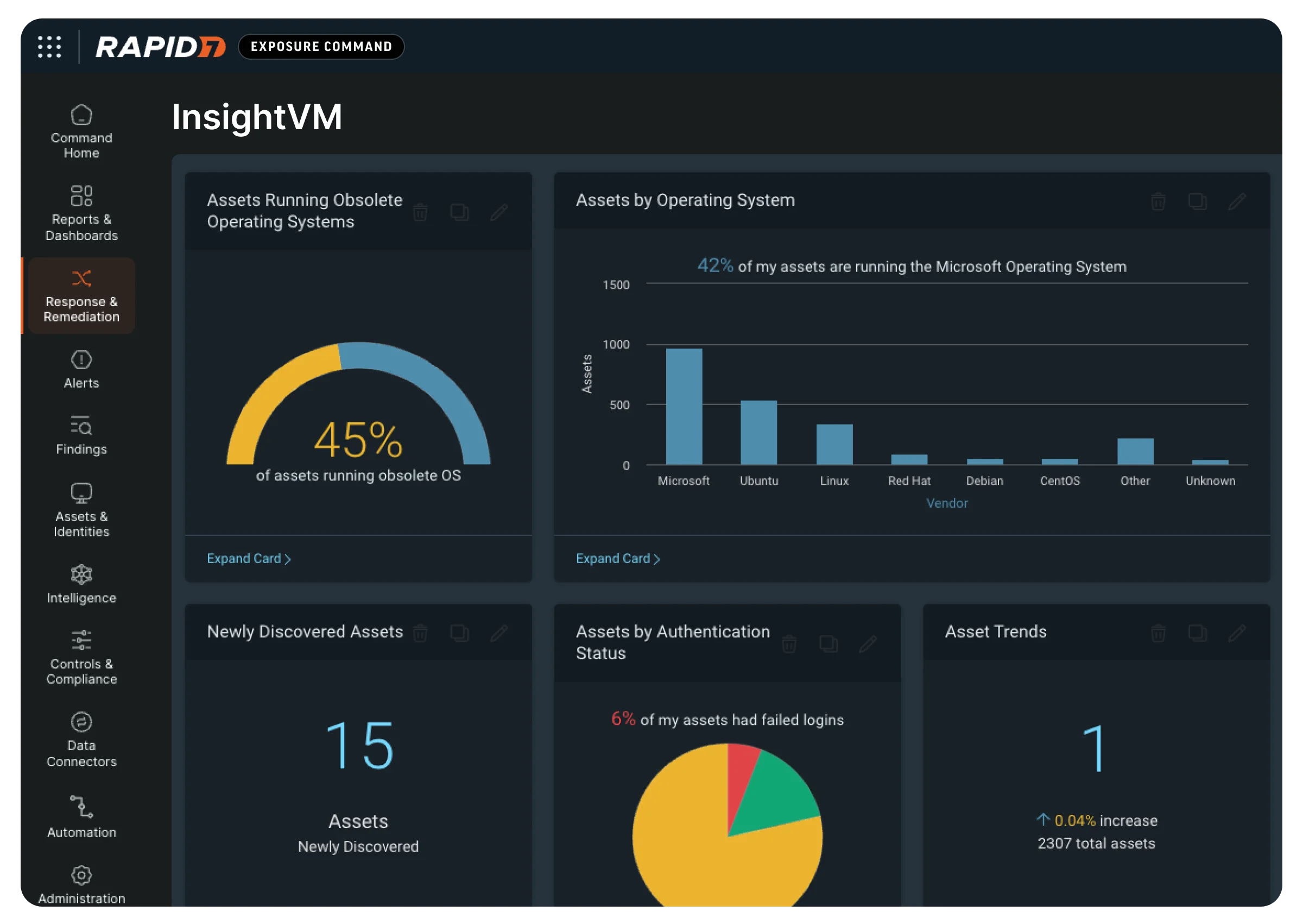
Rapid7 InsightVM is the vulnerability management technology that now powers Rapid7’s Exposure Command. It provides vulnerability scanning and connects those findings with attack surface, cloud, and application risk in a single Exposure Command view. The aim is to keep the same scanner while adding wider context so teams can prioritize what is actually reachable.
InsightVM’s internal scanning is paired with an outside-in attacker view, so internal exposure and external visibility together sharpen prioritization. Findings from vulnerability, attack surface, cloud, and application sources are brought into one console and one workflow built on a shared risk model. It is available within Exposure Command packages and can also be evaluated through a standalone InsightVM trial, including on-premises deployment.
Key features include:
Limitations (as reported by users on PeerSpot):

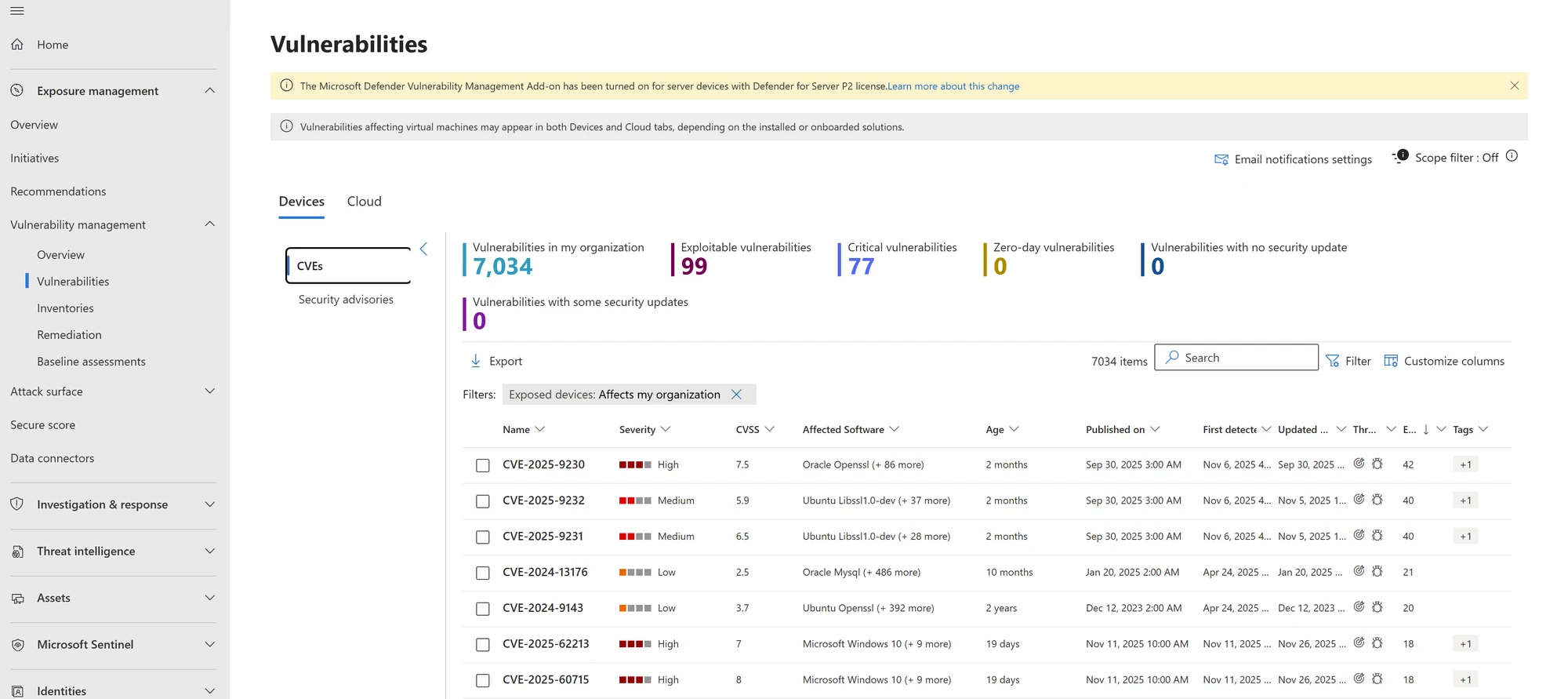
Best for: Microsoft-centric and Windows-heavy environments
Strengths: Continuous, agent or agentless assessment with Microsoft threat intel
Things to consider: Reporting depth and third-party coverage
Microsoft Defender Vulnerability Management takes a risk-based approach to continuous vulnerability assessment, prioritization, and remediation. It continuously discovers and monitors assets without relying on periodic scans, and can detect risks even when endpoints are not connected to the corporate network. Coverage spans Windows, Linux, macOS, iOS, Android, and network devices, using agent-based or agentless scanning.
The platform prioritizes the biggest vulnerabilities on the most critical assets using Microsoft threat intelligence, breach-likelihood predictions, and business context. It provides entity-level inventories of devices, software, digital certificates, browser extensions, and firmware, and can block known vulnerable application versions. Built-in workflows and measures such as the exposure score and Microsoft Secure Score for Devices help security and IT teams remediate and track progress.
Key features include:
Limitations (as reported by users on G2):
Free scanners that find vulnerabilities but leave prioritization and remediation to your team.

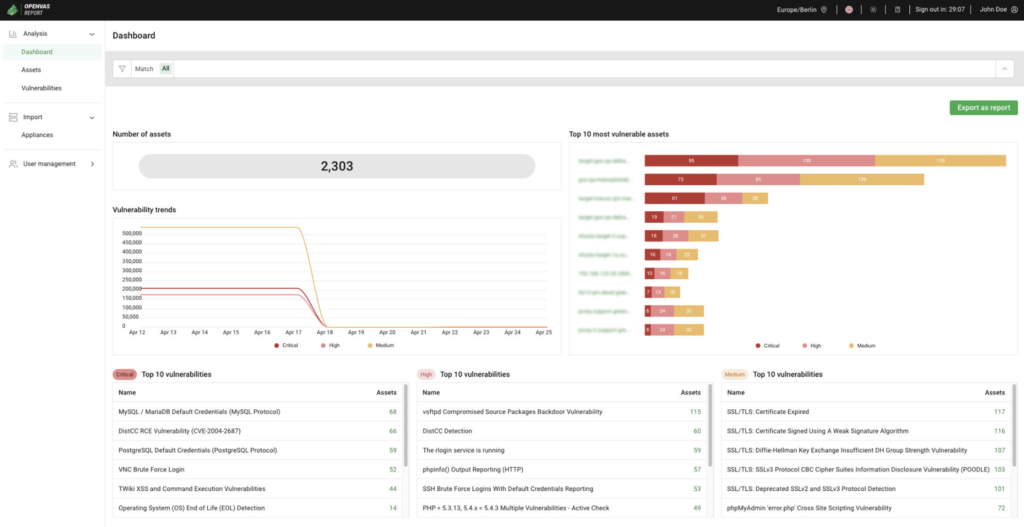
Best for: Free, full-featured network vulnerability scanning
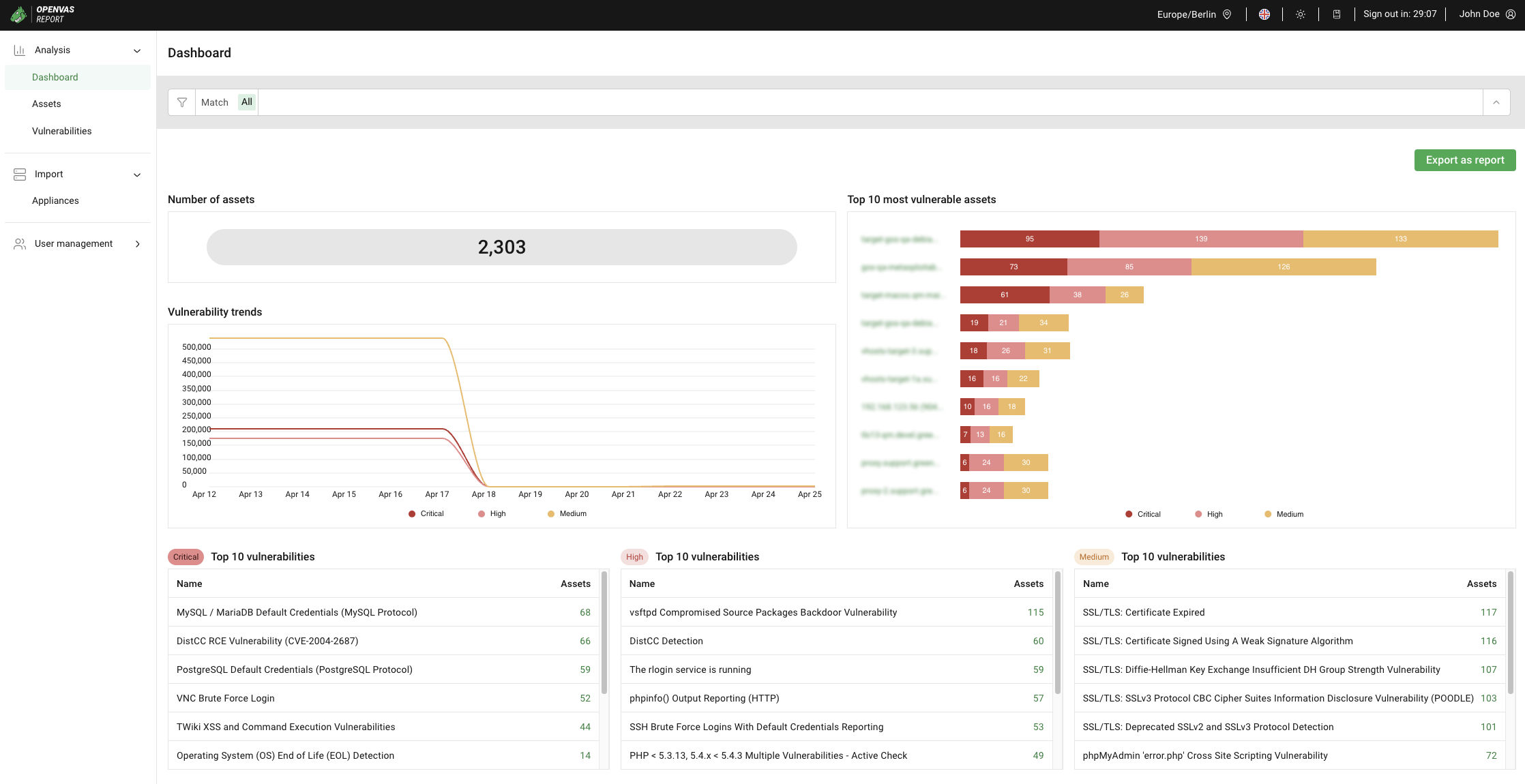
Strengths: Authenticated and unauthenticated tests with a daily-updated feed
Things to consider: Complex setup and dated interface
OpenVAS is a full-featured, open-source vulnerability scanner developed and maintained by Greenbone since 2006. It supports both unauthenticated and authenticated testing and works across a range of high-level and low-level internet and industrial protocols. Performance tuning allows it to handle large-scale scans.
The scanner includes a powerful internal programming language that lets users implement essentially any type of vulnerability test. Its detection tests come from a feed with a long history and daily updates. OpenVAS forms the OPENVAS Community Edition together with other open-source modules and also sits within Greenbone’s commercial OPENVAS SCAN product family.
Key features include:
Limitations (as reported by users on G2):

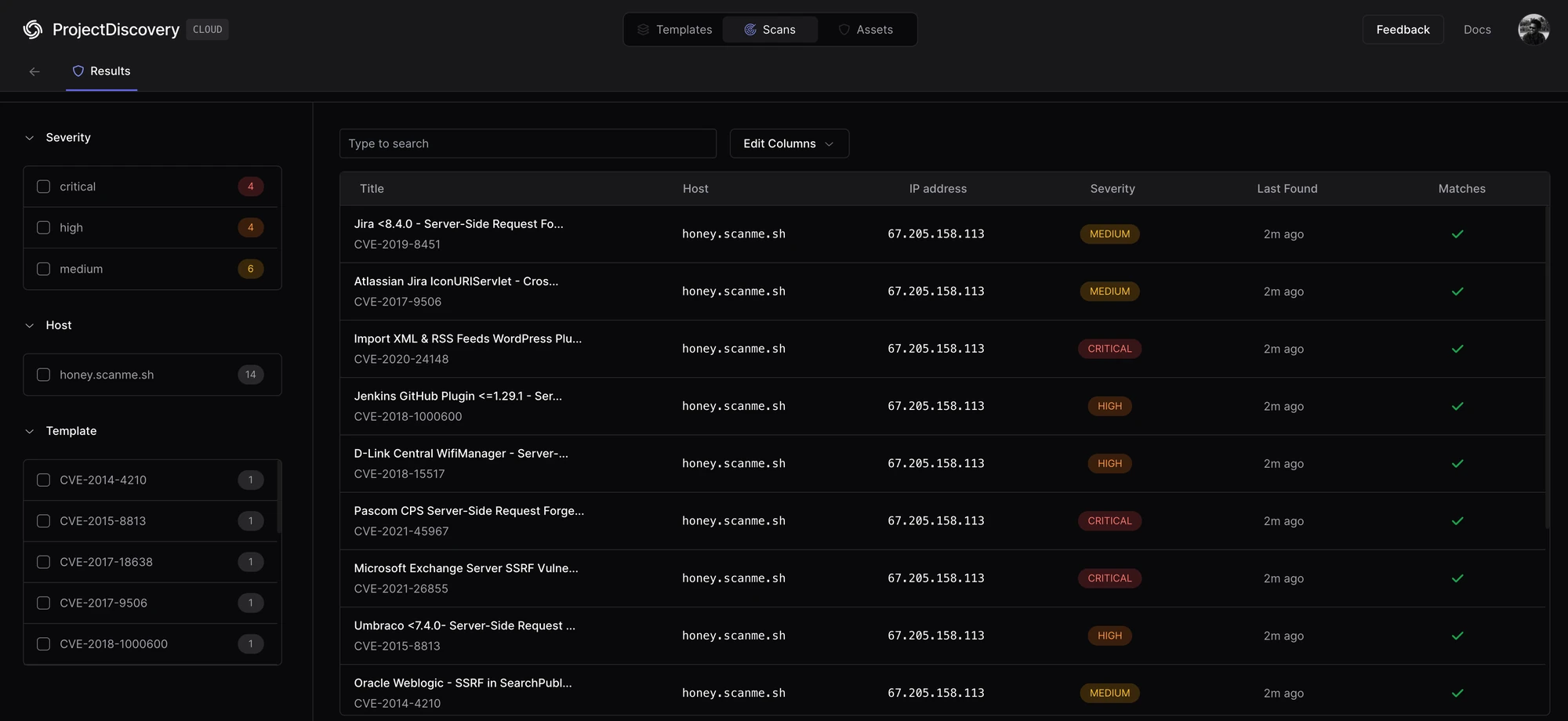
Best for: Fast, template-based scanning for known vulnerabilities
Strengths: Community YAML templates updated within hours of new CVEs
Things to consider: Template quality varies; it is a CLI, not a managed service
Nuclei is an open-source, community-powered vulnerability scanner from ProjectDiscovery built on a simple YAML-based templating engine. It uses a large template library to scan applications, cloud infrastructure, and networks for vulnerabilities and misconfigurations. The project reports 30,000+ GitHub stars, 900+ contributors, more than 12,000 templates, and over 50 million monthly scans.
Because detection logic lives in community-contributed templates rather than the engine, new CVE templates often appear within hours of public disclosure. Users can write their own templates, including with an AI-powered editor that turns internal vulnerability data into automated detection. Nuclei supports more than six protocols plus code protocols and can target web applications, APIs, networks, cloud configurations, infrastructure, and CI/CD pipelines.
Key features include:
Limitations (based on publicly available sources):
Best for: Fast web server and misconfiguration scanning
Strengths: Thousands of checks for risky files and server misconfigurations
Things to consider: Noisy, not stealthy, and prone to false positives
Nikto is an open-source web server scanner, written in Perl, that tests web servers for thousands of potential issues. These include dangerous files, misconfigured services, vulnerable scripts, and outdated server versions across hundreds of server types. It is structured with plugins that extend its capabilities and are updated with new security checks.
Nikto supports scan tuning to include or exclude entire classes of checks, such as injection, information disclosure, remote file retrieval, command execution, and authentication bypass. It offers SSL support, proxy support, authentication for protected realms, and several encoding-based evasion techniques useful for testing intrusion detection systems. Results can be saved in formats including CSV, JSON, HTML, XML, and plain text.
Key features include:
Limitations (based on publicly available sources):
Choosing the right vulnerability management tool starts with understanding the organization’s environment, risk profile, and remediation capacity. The solution should find vulnerabilities and help teams determine which issues are exploitable, reduce false positives, prioritize based on business risk, and move findings into remediation workflows. Modern programs rely on contextual investigation, exploitability analysis, and automated remediation guidance to reduce alert noise and focus on meaningful risk.

[ Vulnerability Management ]

[ Vulnerability Management ]

[ Vulnerability Management ]