[ Application Security ]
Best SAST tools for 2026: 15 solutions compared

Summarize with AI


Summarize with AI

TL;DR: SAST tools scan your source code for vulnerabilities before it runs. Maze fits teams that want to know which findings are actually exploitable, Checkmarx fits enterprises that need broad language coverage, Semgrep fits teams that want fast scanning with their own rules, and Snyk Code fits developers who want scanning in the IDE.
A SAST tool reads your source code, or sometimes your binaries, and looks for security flaws like SQL injection and authentication bypasses without running the application. Most teams run it in the IDE, on pull requests, or in the CI/CD pipeline, so developers hear about a problem while the code is still fresh in their heads.
Dynamic testing (DAST) attacks a running application from the outside. SAST works from the inside, looking at how the code is built and how data moves through it, which means it can catch issues before the code is deployed or even compiled.
The earlier you find a flaw, the cheaper it is to fix. A SQL injection caught in a pull request costs a developer a few minutes, while the same bug found in production can turn into an incident, a disclosure, and a weekend of patching.
Here’s how the 15 tools compare. We cover each one in more detail below.
| Category | Solution | Best for | Key strengths | Things to consider |
|---|---|---|---|---|
| AI-native SAST platforms | 1. Maze | Teams that want business-logic and traditional SAST findings, cut down to the ones that are actually exploitable | AI that finds and investigates every vulnerability, exploitability verdicts with evidence, fixes where developers work | SaaS only, and you can’t bring your own LLM key |
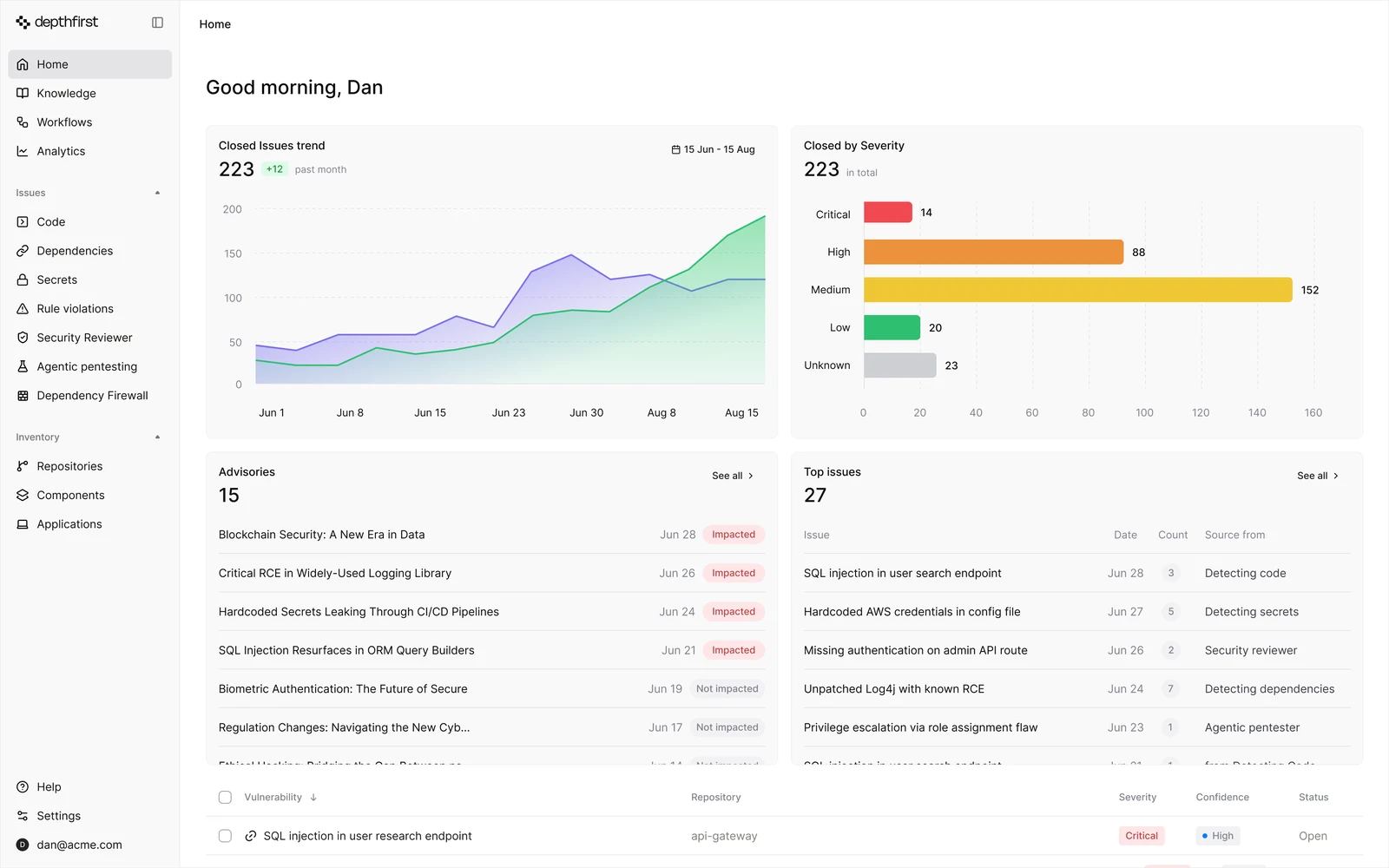
| AI-native SAST platforms | 2. depthfirst | Teams looking for business-logic and authorization flaws | Logic-aware detection, exploit validation, fixes in the pull request | SaaS only, and it runs on its own models rather than frontier models |
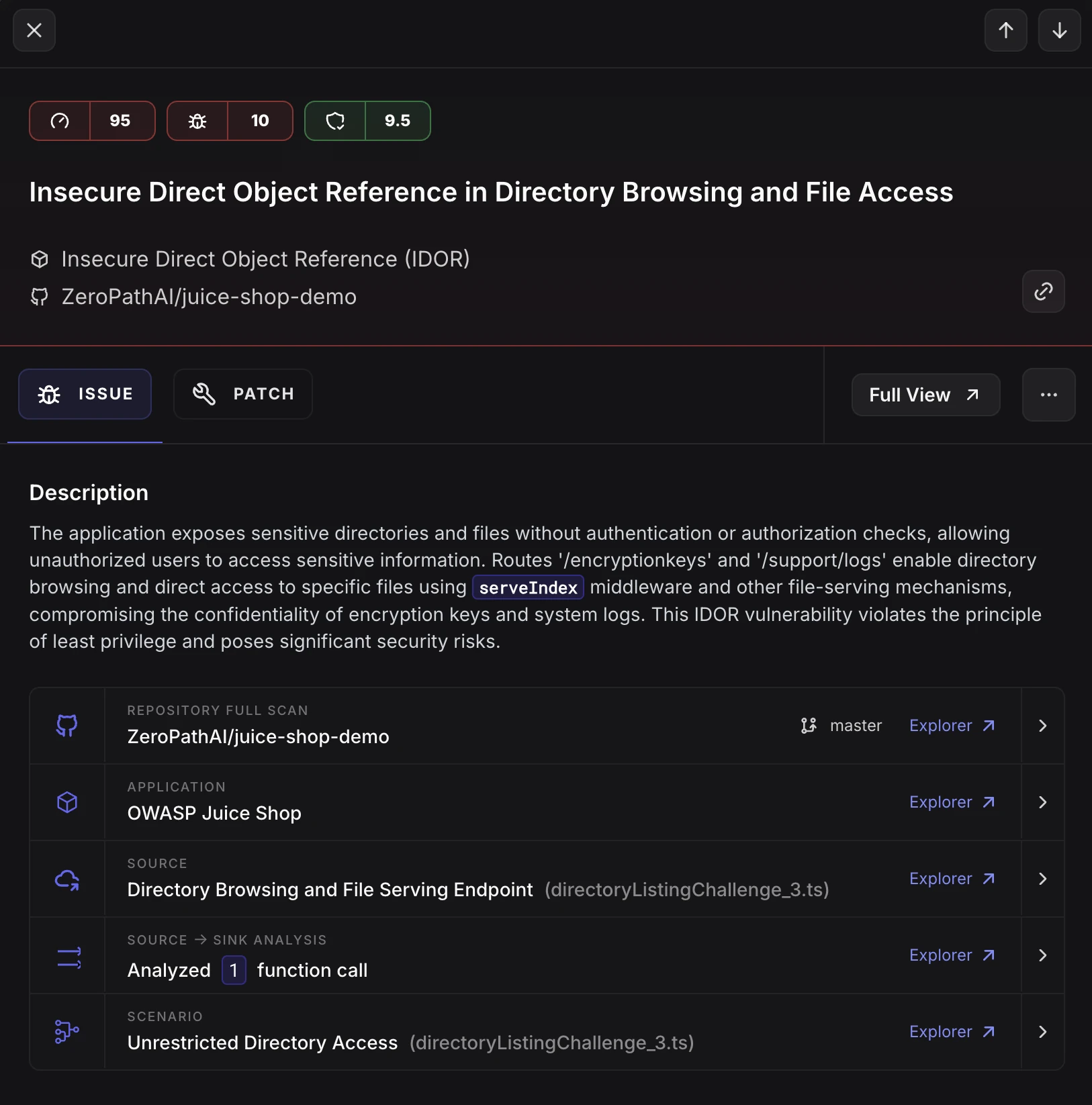
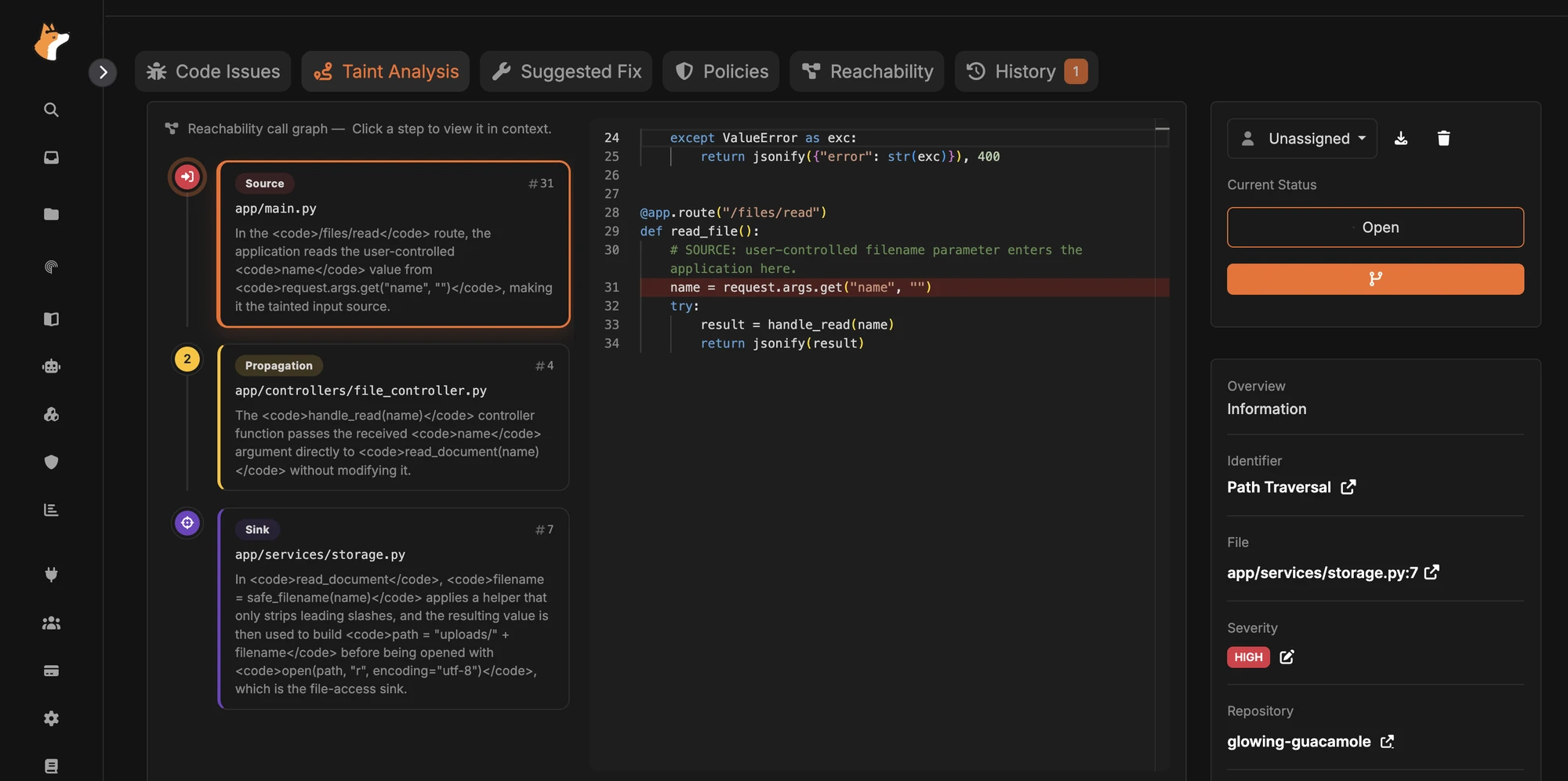
| AI-native SAST platforms | 3. ZeroPath | Teams that want fast AI scans on every pull request | Source-to-sink taint analysis, policies written in plain English, fix pull requests | Covers 15+ languages and is a smaller vendor |
| AI-native SAST platforms | 4. Corgea | Teams that want logic-flaw detection with fixes they can review | Reachability analysis, about 900 CWEs, fix pull requests that explain the change | Newer platform, and detection depth varies by stack |
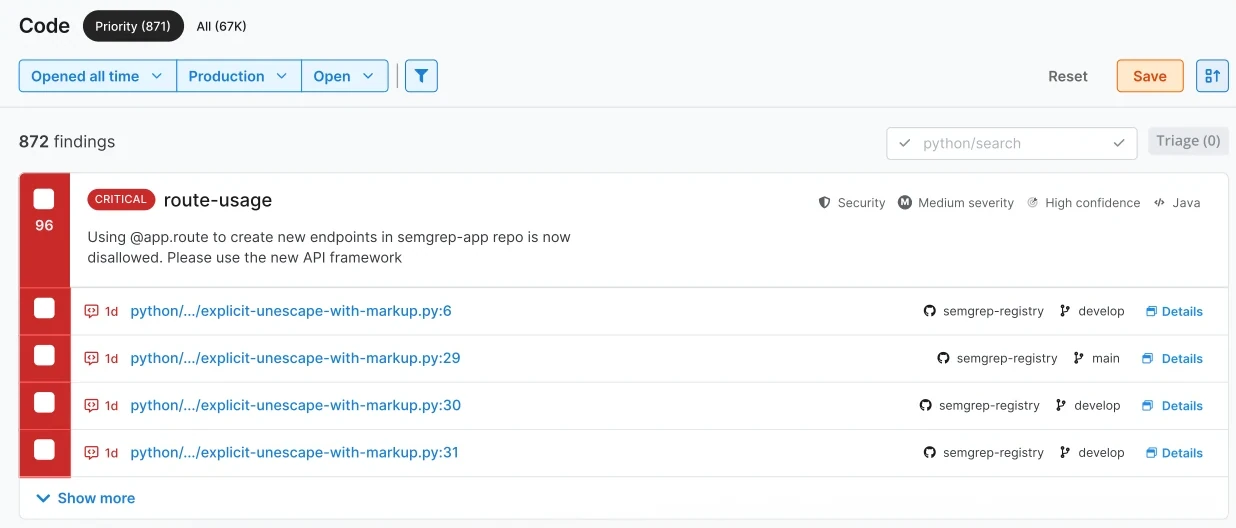
| Second-generation SAST platforms | 5. Semgrep | Teams that want fast scanning with their own rules | Rules plus AI detection, a large community rule registry, fixes in the pull request | Rules need tuning, and large monorepos can be hard to scan |
| Second-generation SAST platforms | 6. Endor Labs | Teams that want AI to triage SAST noise | AI triage with evidence, business-logic detection, custom rules | Setup and interface are still maturing |
| Second-generation SAST platforms | 7. Aikido Security | Small teams that want SAST and more in one tool | Around 90% noise reduction, one-click AI fixes, custom rules | Tiered pricing rises with user count |
| First-generation SAST platforms | 8. Snyk Code* | Developers who want scanning and fixes in the IDE | DeepCode AI engine, fast scans without a build, AI-generated fixes | Custom rules are limited to Enterprise, and per-seat costs add up |
| First-generation SAST platforms | 9. Checkmarx | Enterprises that need broad language coverage | Hybrid engine, 60% fewer false positives, custom queries | Takes tuning, costs more, and large scans are slow |
| First-generation SAST platforms | 10. Veracode | Enterprises that run SAST by policy | Crosscheck path analysis, 100+ languages and frameworks, source or binary scanning | Binary scans need packaging, scans can be slow, and licensing is complex |
| First-generation SAST platforms | 11. OpenText Fortify | Enterprises that need flexible deployment | 44+ languages, 350+ frameworks, on-premises or SaaS | Pricing is opaque, setup is complex, and scans are slow |
| First-generation SAST platforms | 12. Black Duck Coverity | Safety-critical and embedded software teams | Deep C and C++ analysis, functional-safety certifications | Enterprise pricing, a long setup, and slow scans |
| First-generation SAST platforms | 13. SonarQube | Teams that want code quality and security in one tool | Taint analysis into libraries, quality gates, 40+ languages and frameworks | Needs tuning and gets heavy on large codebases |
| Platform-integrated SAST | 14. GitHub Code Security | Teams that build in GitHub | CodeQL, Copilot Autofix, dependency review | Central reporting is limited, and CodeQL doesn’t cover every language |
| Platform-integrated SAST | 15. GitLab SAST | Teams that build in GitLab | Built into CI/CD, cross-file Advanced SAST, AI-generated fixes | Merge request findings and AI features need the Ultimate tier |
*Snyk now positions itself as an AI security platform, led by Evo, its agentic security product line.
A flaw gets more expensive every stage it survives. Fixing it in a pull request means changing a few lines while the developer still remembers why they wrote them. Fixing it after release means reproducing the bug, finding whoever owns the code now, and shipping a patch under pressure.
SAST tools move that check to the start of the software development lifecycle (SDLC). Developers get feedback on insecure code as they write or commit it, and security and engineering spend less time passing tickets back and forth.
Once you have dozens of teams and hundreds of repositories, you can’t rely on every reviewer to spot every insecure pattern. Automated scanning gives every project the same checks, whatever its size and whoever owns it.
Because SAST runs on every commit or pull request, security reviews keep pace with how fast teams ship rather than becoming a gate at the end of a release.
AI coding assistants write code that works, and some of it is insecure. A model can produce a query that runs fine and is still open to injection, or an endpoint that returns data without checking who is asking.
The risk grows with adoption for three reasons. AI writes code faster than anyone can review it line by line. Models repeat insecure patterns they learned from public code. And the developer who accepts a suggestion didn’t write it, so they’re less likely to notice what it leaves out, like an authorization check. Running SAST on every change holds AI-generated code to the same standard as code a person wrote, at the speed it’s being produced.
Most applications mix several languages, so a SAST tool needs to cover the ones you actually use, such as:
Framework support matters just as much, because many vulnerabilities come from how a framework or library is used. A tool that understands your frameworks can catch insecure configurations and misuse of framework features that a generic scan would miss.
First- and second-generation tools have historically struggled to cover many languages well, because every new language needed its own parser, its own rules, and its own tuning. AI-native platforms reason about the code itself, so supporting a new language takes far less work than it used to.
Traditional SAST tools find flaws by matching code against rules for known vulnerability classes, such as:
The best rules-based tools continually update their rules as new threats appear and let you write your own, so you can enforce your coding standards and cut noise from findings that don’t apply to you. The limit is that rules only find what someone has already written a rule for.
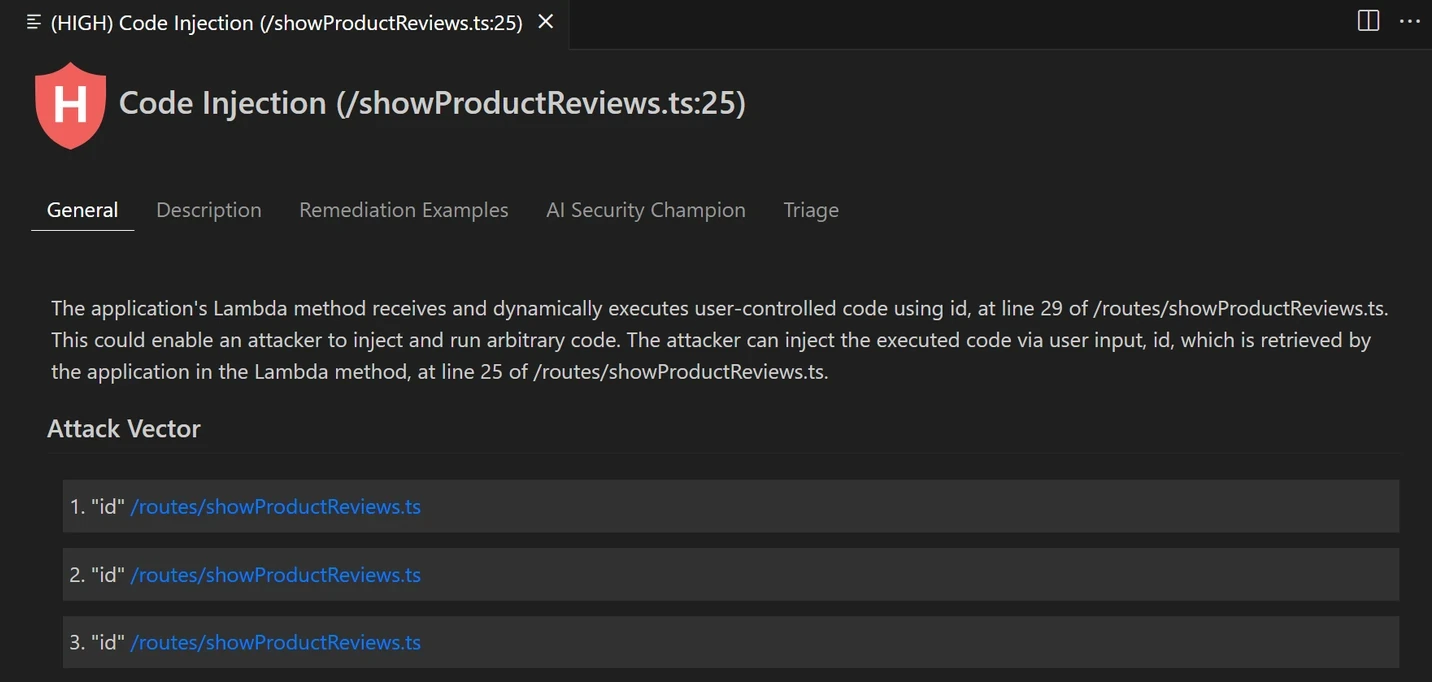
AI-native tools work differently. They use AI to find vulnerabilities in the first place, which is how they catch business-logic flaws no rule describes, and then they triage every finding instead of handing your team the whole pile. The strongest tools also pull context from outside the code, like how the application is deployed and what it connects to, so the AI can gather the evidence it needs to decide whether a finding is real.
Taint analysis follows untrusted input through your code to see whether it reaches something sensitive, like a database query or a system command, without being validated on the way. That lets a tool find issues that simple pattern matching misses, including:
Traditional tools trace these paths with call graphs, which often break at dynamic calls, framework routing, and calls into open-source packages. When the trace breaks, the tool can’t tell you whether the vulnerable code is reachable. AI-native tools read the code and follow the path through those gaps, and a tool that shows you the full path makes the root cause much easier to understand and fix.
Finding a vulnerability is only half the job. A useful SAST tool tells the developer what’s wrong and how to fix it, with:
The newest tools go further. They write the fix to match your code, open a pull request for the developer who owns it, and suggest a mitigation when no fix exists yet. That matters most on teams where not every developer is a security expert, because a ready-made fix gets merged in minutes, while a description of the problem can sit in a backlog for months.
A scanner can flag thousands of issues, and most of them won’t matter. Prioritization helps you work on the ones that do, based on factors like:
A tool that only sees code has to guess at most of these. The best tools pull context from your cloud and your running application, like whether the vulnerable code is deployed, whether it’s reachable from the internet, what data it touches, and what controls sit in front of it. A critical finding in a service that never ships is noise, while a medium finding in your payment flow might be the most urgent thing on the list.
Running SAST in your CI/CD pipeline means every change gets checked automatically before it reaches production. It also makes security a normal part of shipping code rather than a separate step someone has to remember. With SAST in the pipeline, you can:
IDE plugins flag security issues while the developer is still typing, which:
Pull request integrations scan the proposed change and flag issues before it merges, so new vulnerabilities don’t make it into the main branch.
How we selected these tools: We looked at language and framework coverage, how deep detection goes (including data flow and business-logic analysis), how well each tool cuts false positives, the quality of its remediation guidance, and how it fits into IDEs and CI/CD pipelines. We grouped the tools by generation, from AI-native platforms to the tools that built the category, plus SAST that comes built into source code platforms. This list is a snapshot of the market, not every SAST tool that exists.
AI-native platforms were built from the beginning to let AI reason about code and find vulnerabilities. Most don’t add AI on top of a rules engine. They use AI to find the vulnerability itself, and to understand what your code is supposed to do, which is how they find business-logic flaws as well as traditional vulnerabilities like SQL injection. They also decide whether a finding matters before anyone on your team has to look at it.

Best for: Teams that want business-logic and traditional SAST findings, cut down to the ones that are actually exploitable
Strengths: AI that finds and investigates every vulnerability, exploitability verdicts with evidence, fixes where developers work
Things to consider: SaaS only, and you can’t bring your own LLM key
Maze uses AI to find the vulnerabilities in your code, investigate every finding, and tell you which ones an attacker could actually exploit in your environment, with the evidence behind every answer. Maze Code also gathers context from your running application, building on what Maze Cloud already understands about your environment. AI-SAST runs on every pull request and across your entire codebase, and AI-SCA covers your open-source dependencies. Because Maze looks at your code, build, and cloud together, it can tell you whether a vulnerability in your code is exploitable given where and how that code runs.
Key features include:


Best for: Teams looking for business-logic and authorization flaws
Strengths: Logic-aware detection, exploit validation, fixes in the pull request
Things to consider: SaaS only, and it runs on its own models rather than frontier models
depthfirst’s code scanner looks at business logic, data flows, and how services talk to each other, rather than matching known patterns. It goes after flaws like broken authorization, insecure direct object references, privilege escalation, and subscription tier bypasses, and it connects low-severity findings into multi-step attack chains. When it can, it tests the running application to confirm a finding is exploitable, then delivers the fix as a pull request or PR comment written to match your codebase.
Key features include:

Best for: Teams that want fast AI scans on every pull request
Strengths: Source-to-sink taint analysis, policies written in plain English, fix pull requests
Things to consider: Covers 15+ languages and is a smaller vendor
ZeroPath combines large language models with program analysis to find vulnerabilities in code and dependencies. It focuses on business-logic and authentication flaws, such as missing authentication checks, insecure direct object references, race conditions, and ways around authorization. Because detection is driven by an LLM rather than a rule database, it can pick up new vulnerability classes as they appear, and it scans a pull request in under a minute.
Key features include:

Best for: Teams that want logic-flaw detection with fixes they can review
Strengths: Reachability analysis, about 900 CWEs, fix pull requests that explain the change
Things to consider: Newer platform, and detection depth varies by stack
Corgea’s AI SAST scanner runs on its CodeIQ technology, which looks at how an application works rather than just its syntax. Its earlier BLAST engine is now part of Corgea AI SAST. It finds business-logic flaws that traditional scanners miss, including broken authentication and missing authorization checks buried in real application flows. It pairs detection with reachability analysis and delivers fixes in the pull request, across more than 20 languages and frameworks.
Key features include:
Second-generation platforms arrived once SAST was established and went after what developers disliked about it, like slow scans, rigid rules, and noise. They brought fast rule engines you can customize, AI triage, and all-in-one platforms built for smaller teams. Most are now adding AI on top of those engines. That builds on a mature base, and it also means fitting AI-native workflows into architectures that were designed for rules-based detection, which is hard.

Best for: Teams that want fast scanning with their own rules
Strengths: Rules plus AI detection, a large community rule registry, fixes in the pull request
Things to consider: Rules need tuning, and large monorepos can be hard to scan
Semgrep Code combines rule-based detection with AI through what it calls Multimodal. The rules catch classic issues like cross-site scripting and SQL injection, and the AI looks for harder ones, like insecure direct object references and business-logic flaws. It uses the context around a finding to cut down what your team has to triage, and it puts step-by-step fix instructions in the pull request.
Key features include:

Best for: Teams that want AI to triage SAST noise
Strengths: AI triage with evidence, business-logic detection, custom rules
Things to consider: Setup and interface are still maturing
Endor Labs combines static analysis with AI to triage findings and find complex flaws. It uses data flow analysis across files and functions to flag likely false positives, so your team reviews the issues that carry real risk. It also detects business-logic and authentication flaws, and it works inside AI code editors so developers can fix issues before they commit. Its AI SAST covers 13 languages plus IaC YAML, and the wider Endor platform also covers open source dependencies with reachability analysis.
Key features include:

Best for: Small teams that want SAST and more in one tool
Strengths: Around 90% noise reduction, one-click AI fixes, custom rules
Things to consider: Tiered pricing rises with user count
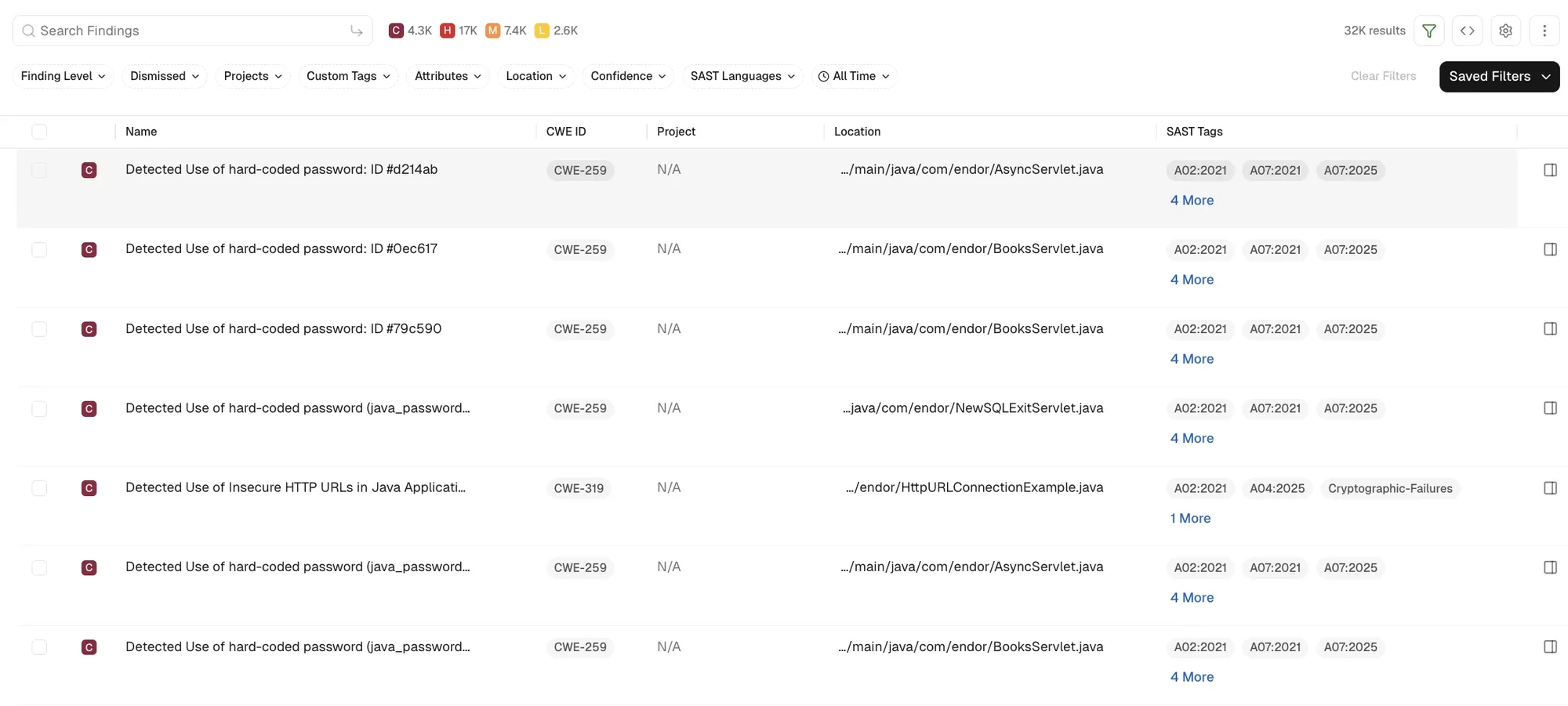
Aikido Security includes SAST in a platform that also covers dependencies, secrets, containers, and cloud. Its SAST rules are tuned to cut false positives by around 90 percent by filtering out unreachable vulnerabilities, and it adjusts severity based on context you give it. It offers one-click AI fixes, runs in the IDE and CI/CD pipeline, and connects to AI coding tools through an MCP plugin that scans generated code.
Key features include:
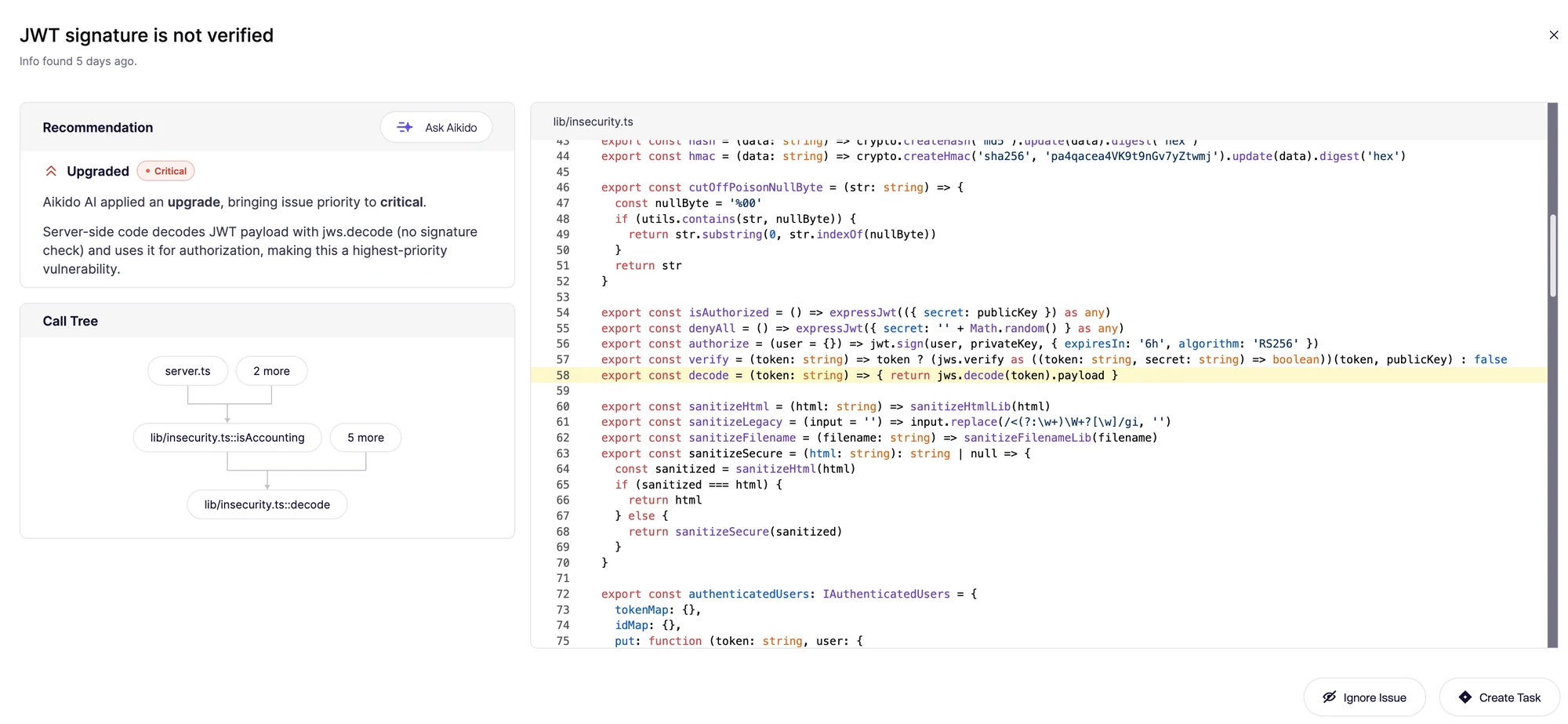
First-generation platforms built the SAST category. Checkmarx, Veracode, Fortify, and Coverity made static analysis an enterprise practice, with deep language coverage, compliance reporting, and on-premises options that keep them the standard in regulated and safety-critical industries. Snyk did more than anyone to bring security to developers, putting scanning in the IDE and the pull request. That depth and reach usually come with more setup, more tuning, and longer scans.

Best for: Developers who want scanning and fixes in the IDE
Strengths: DeepCode AI engine, fast scans without a build, AI-generated fixes
Things to consider: Custom rules are limited to Enterprise, and per-seat costs add up
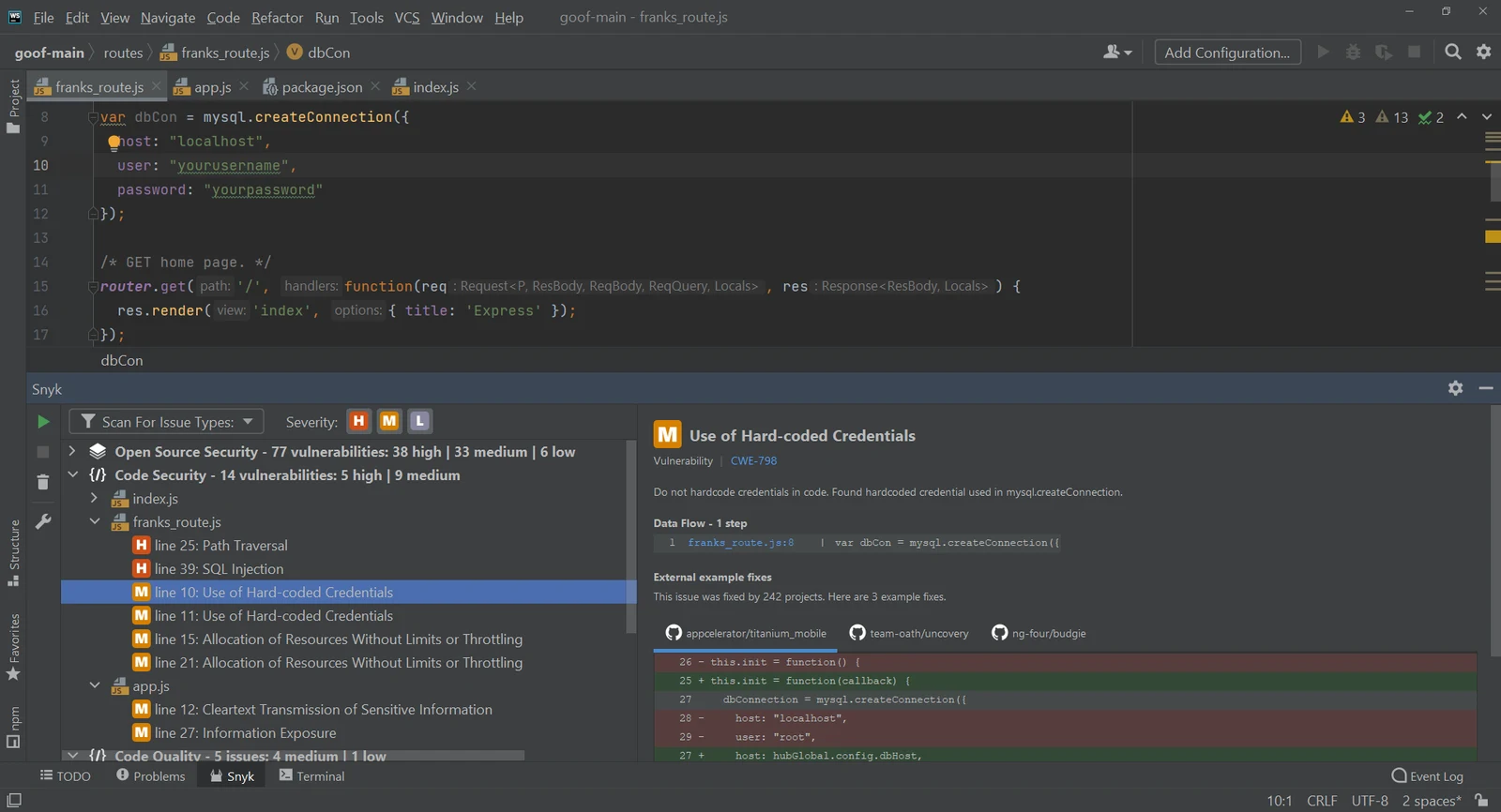
Snyk Code scans source code in the IDE and in pull requests without a build step and returns results in seconds to minutes. It runs on the DeepCode AI engine and pairs detection with Snyk Agent Fix, which the vendor reports generates fixes that are 80 percent accurate or better. It’s part of the wider Snyk platform, which also covers open source dependencies, containers, and infrastructure as code.
*Snyk now positions itself as an AI security platform, led by Evo, its agentic security product line.
Key features include:

Best for: Enterprises that need broad language coverage
Strengths: Hybrid engine, 60% fewer false positives, custom queries
Things to consider: Takes tuning, costs more, and large scans are slow
Checkmarx SAST uses a hybrid engine, with rules for core languages and AI for newer languages and AI-generated code. It scans uncompiled code straight from your repositories, sorts findings to cut noise, and offers AI fixes where developers work. CxSAST, the on-premises version, runs the traditional rules-based engine. The AI engine and Findings Analysis are only available in the cloud-native Checkmarx One platform, where Checkmarx is also introducing Fusion.
Key features include:

Best for: Enterprises that run SAST by policy
Strengths: Crosscheck path analysis, 100+ languages and frameworks, source or binary scanning
Things to consider: Binary scans need packaging, scans can be slow, and licensing is complex
Veracode has offered SAST for more than 20 years. It can scan raw source code without compiling it, and it can scan binaries, or a mix of source and binary, when you don’t have the source. It maps the paths untrusted data takes to reach critical functions, aligns findings to CWE, and works in the IDE, the CI/CD pipeline, and the command line.
Key features include:

Best for: Enterprises that need flexible deployment
Strengths: 44+ languages, 350+ frameworks, on-premises or SaaS
Things to consider: Pricing is opaque, setup is complex, and scans are slow
OpenText Fortify SAST covers a long list of languages and frameworks and can be deployed almost any way you need. It scans code as it’s written so issues are caught before merge, and it works with common IDEs and CI/CD tools. You can run it on-premises, in a private hosted environment, or as SaaS through OpenText Core Application Security (formerly Fortify on Demand), and it adds AI to help teams audit and fix findings.
Key features include:

Best for: Safety-critical and embedded software teams
Strengths: Deep C and C++ analysis, functional-safety certifications
Things to consider: Enterprise pricing, a long setup, and slow scans
Black Duck Coverity builds a structural model of your application across files and libraries and analyzes it without running the code. Its path-sensitive data flow analysis is especially strong in C and C++, which is why safety-critical and embedded teams use it. It supports 22 languages, more than 200 frameworks, and infrastructure as code, and it holds certifications for the functional-safety standards regulated industries require.
Key features include:
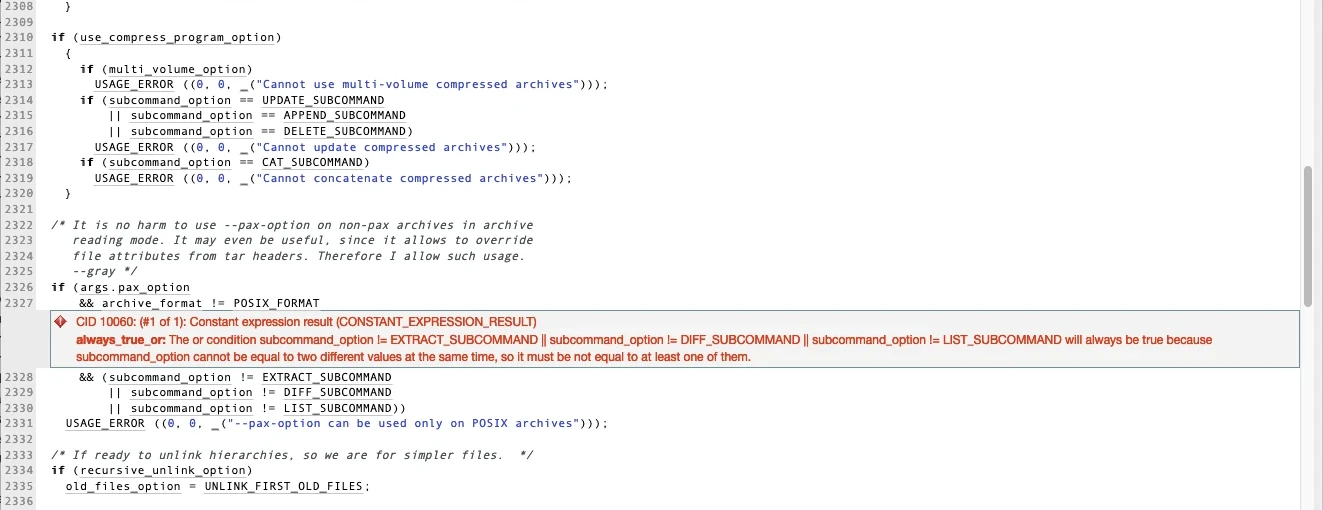

Best for: Teams that want code quality and security in one tool
Strengths: Taint analysis into libraries, quality gates, 40+ languages and frameworks
Things to consider: Needs tuning and gets heavy on large codebases
SonarQube checks code quality and security in one tool. Its SAST traces data from sources to sinks to find issues like SQL injection, cross-site scripting, buffer overflows, and authentication problems, and Advanced SAST, part of the paid SonarQube Advanced Security add-on, follows that analysis into third-party open source libraries for Java, C#, JavaScript, and TypeScript. It comes as SonarQube Server, SonarQube Cloud, and a free IDE extension, and it supports more than 40 languages and frameworks.
Key features include:
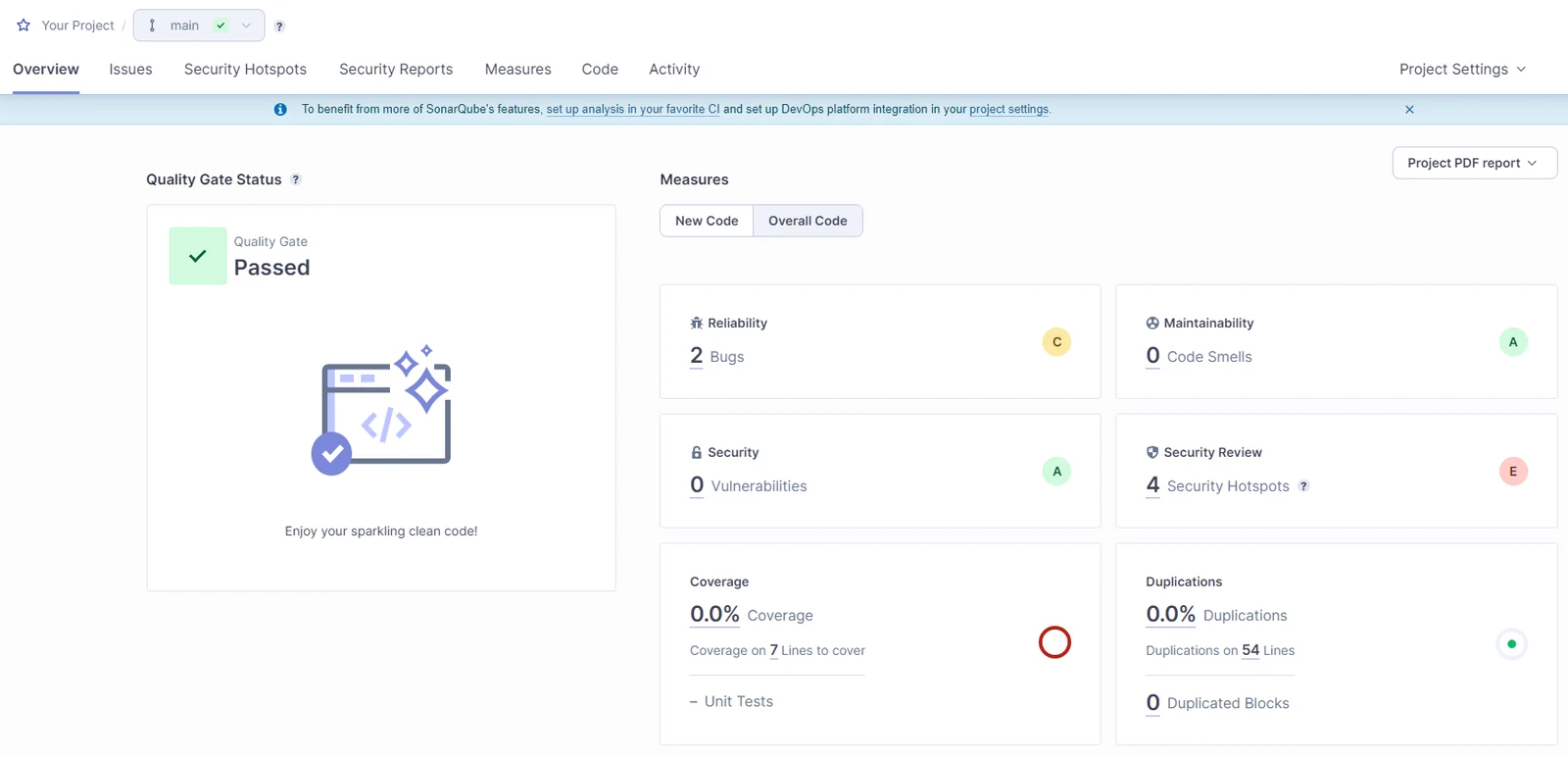
Platform-integrated SAST comes built into the source code platform your team already uses. There’s very little to set up, findings show up where code review happens, and how deep the analysis goes depends on which tier you pay for.

Best for: Teams that build in GitHub
Strengths: CodeQL, Copilot Autofix, dependency review
Things to consider: Central reporting is limited, and CodeQL doesn’t cover every language
GitHub Code Security is one of two GitHub Advanced Security products, alongside GitHub Secret Protection. It bundles code scanning, AI Scan, the CodeQL CLI, Copilot Autofix, security campaigns, dependency review, custom auto-triage rules for Dependabot, and security overview. CodeQL treats code as data you can query and traces data flows across your application to find vulnerabilities. Copilot Autofix suggests fixes for CodeQL alerts, and scanning runs inside GitHub Actions.
Key features include:
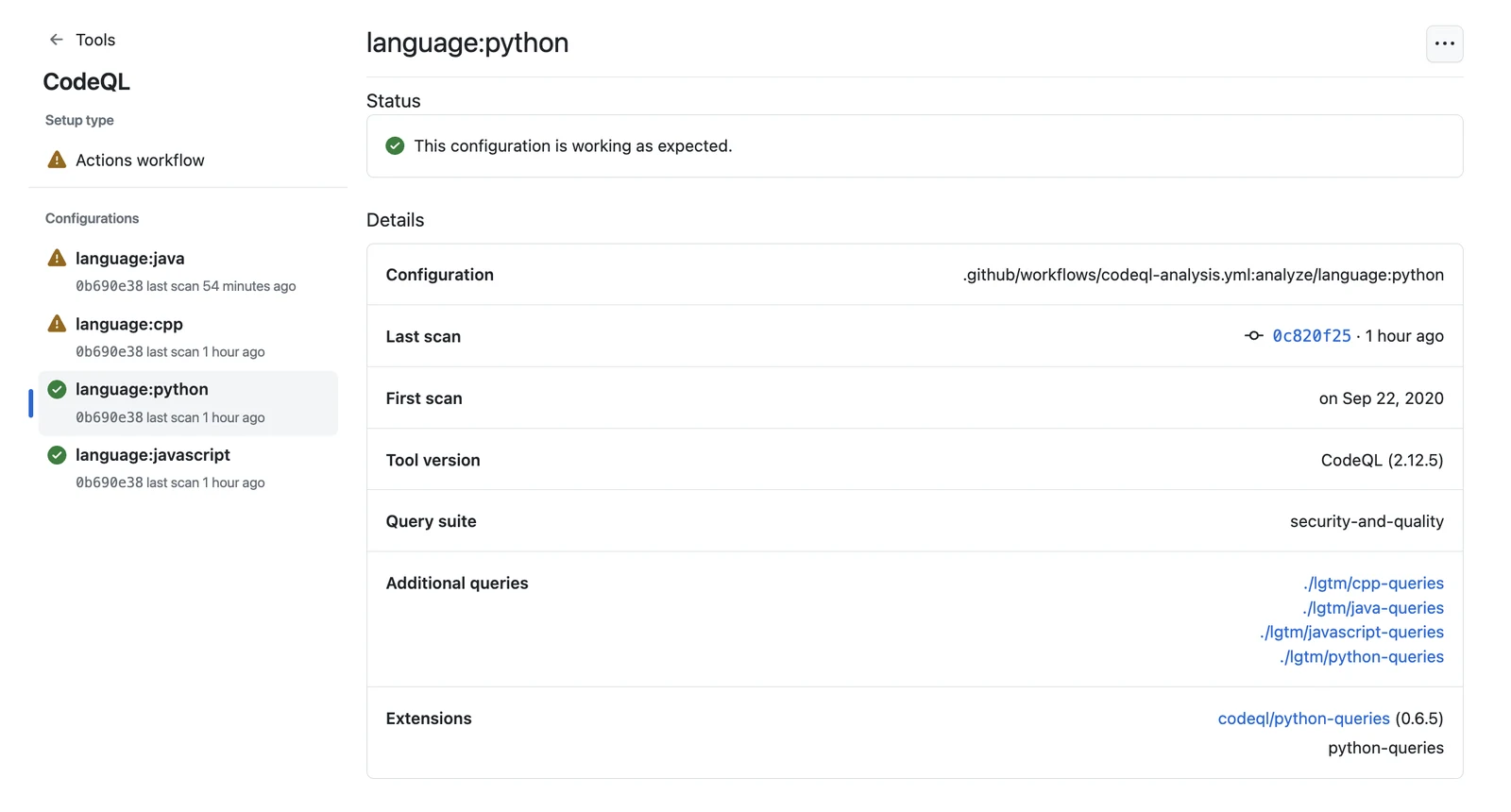

Best for: Teams that build in GitLab
Strengths: Built into CI/CD, cross-file Advanced SAST, AI-generated fixes
Things to consider: Merge request findings and AI features need the Ultimate tier
GitLab SAST runs inside GitLab’s CI/CD pipeline. It uses analyzer containers, including a Semgrep-based analyzer and language-specific ones, and for most languages it scans source without a build. On the Free and Premium tiers, findings go into a downloadable SAST report. The Ultimate tier adds findings in merge requests, vulnerability management, GitLab Advanced SAST for cross-file analysis, and AI-generated fixes, and Duo false positive detection also needs a GitLab Duo add-on.
Key features include:
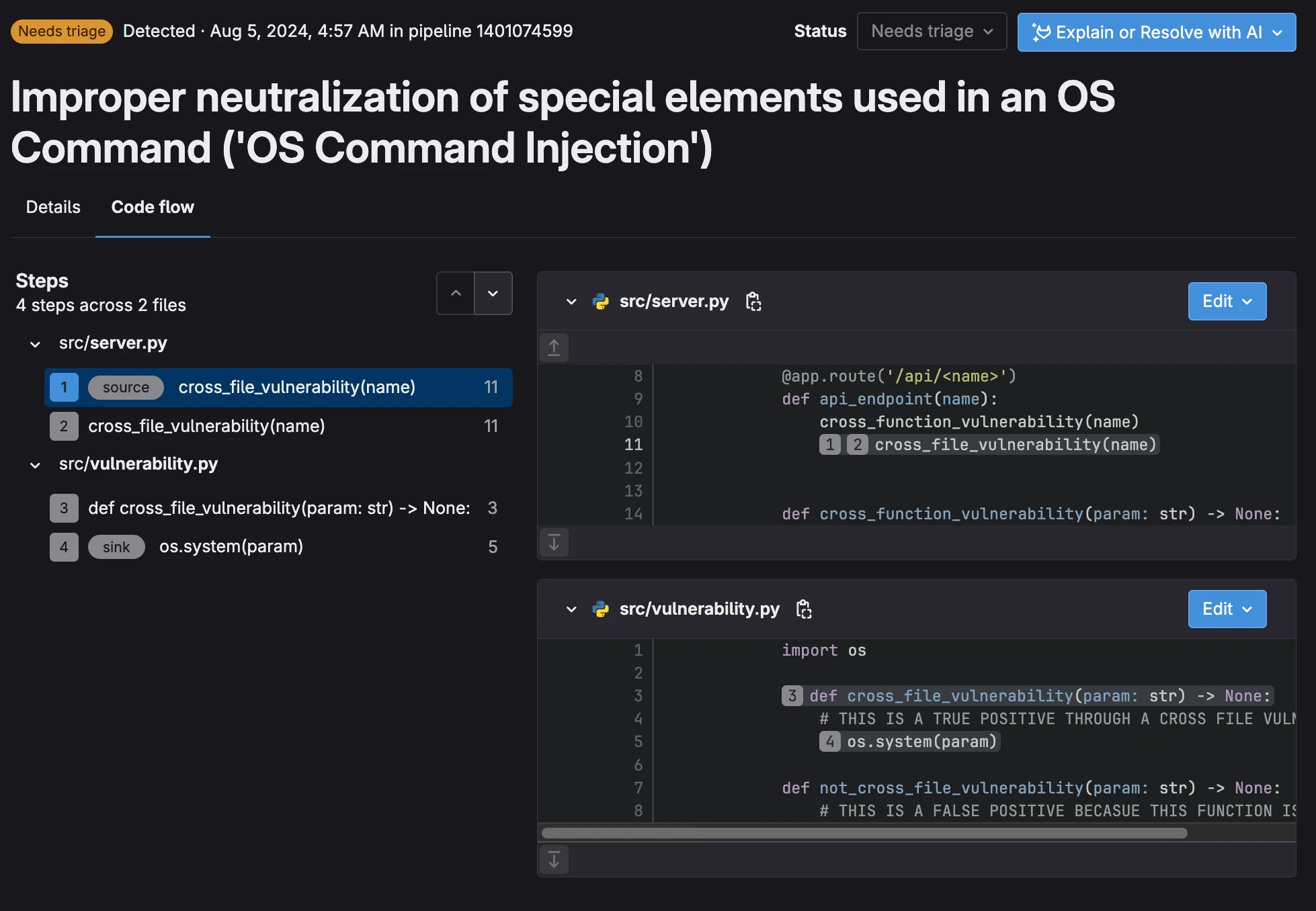
SAST tools catch vulnerabilities while they’re still cheap to fix, in the IDE, the pull request, and the pipeline. The category has moved from rules engines that flag every risky pattern to AI that reads your code, finds what rules miss, and tells you which findings an attacker could actually exploit.
When you compare tools, look past how many findings each one produces. Ask how many of those findings are real, whether the tool covers the languages you write in, whether it understands how your code runs in production, and whether its fixes are ones your developers will actually merge. The right tool is the one your team trusts enough to act on.

[ Application Security ]

[ Application Security ]

[ Application Security ]